
Programming
Information screens in the lobby
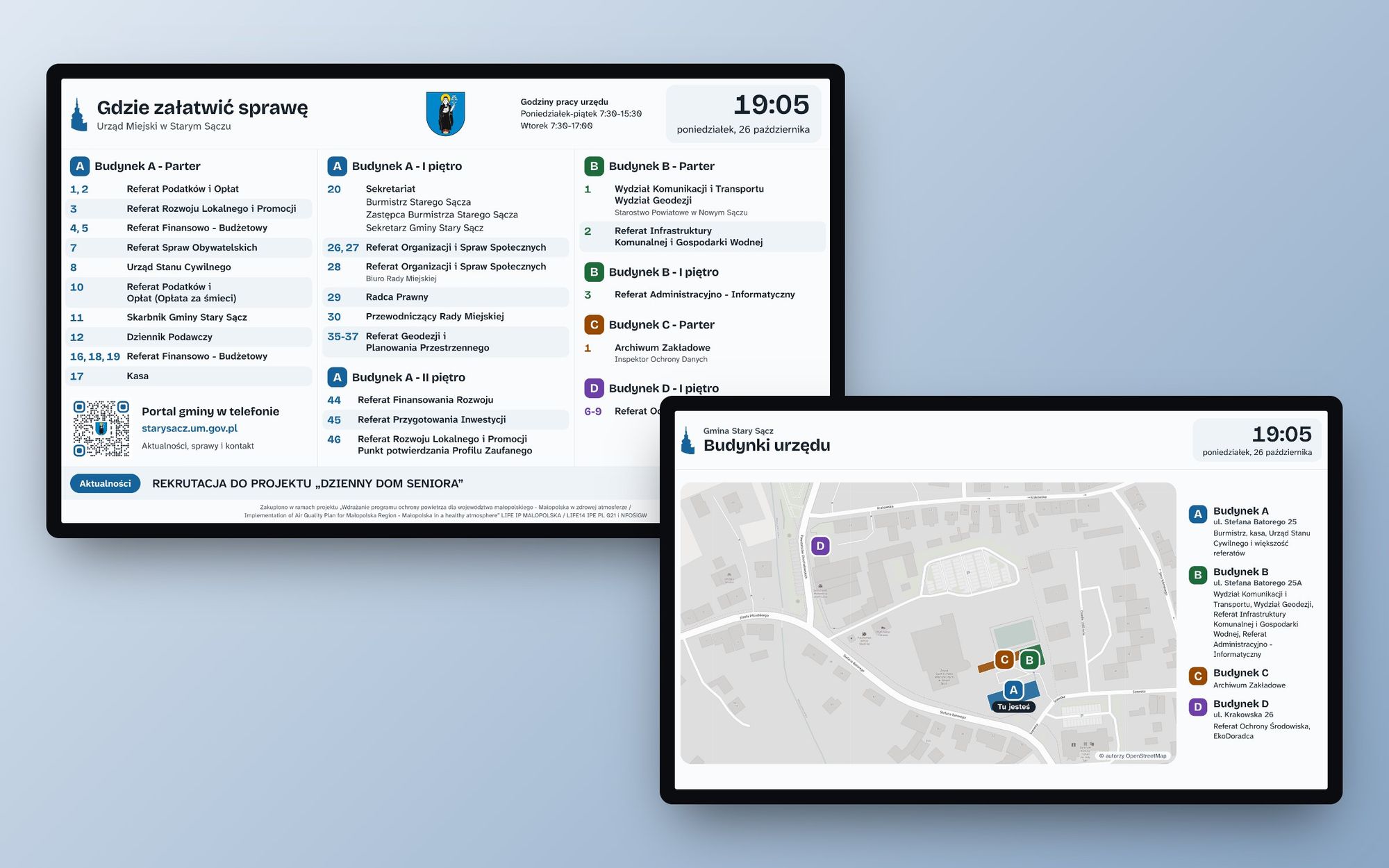
Two screens in the lobby: an interactive floor plan displaying room layouts across four buildings and a slideshow featuring local news, events, weather updates, and maps. The content is automatically sourced from the municipal website, with the kiosk simply serving as a display device for the data.
26/10/2026
The institution the screens were built for is located in four separate buildings. A resident visiting for the first time typically starts by asking at the reception desk where to go to handle their matter.
There were two TVs in the hall, but they showed an old, manually prepared page. I replaced them with two information boards that automatically fetch data from the municipality's portal and require no maintenance.
 (enlarge)
Where to Handle Your Matters
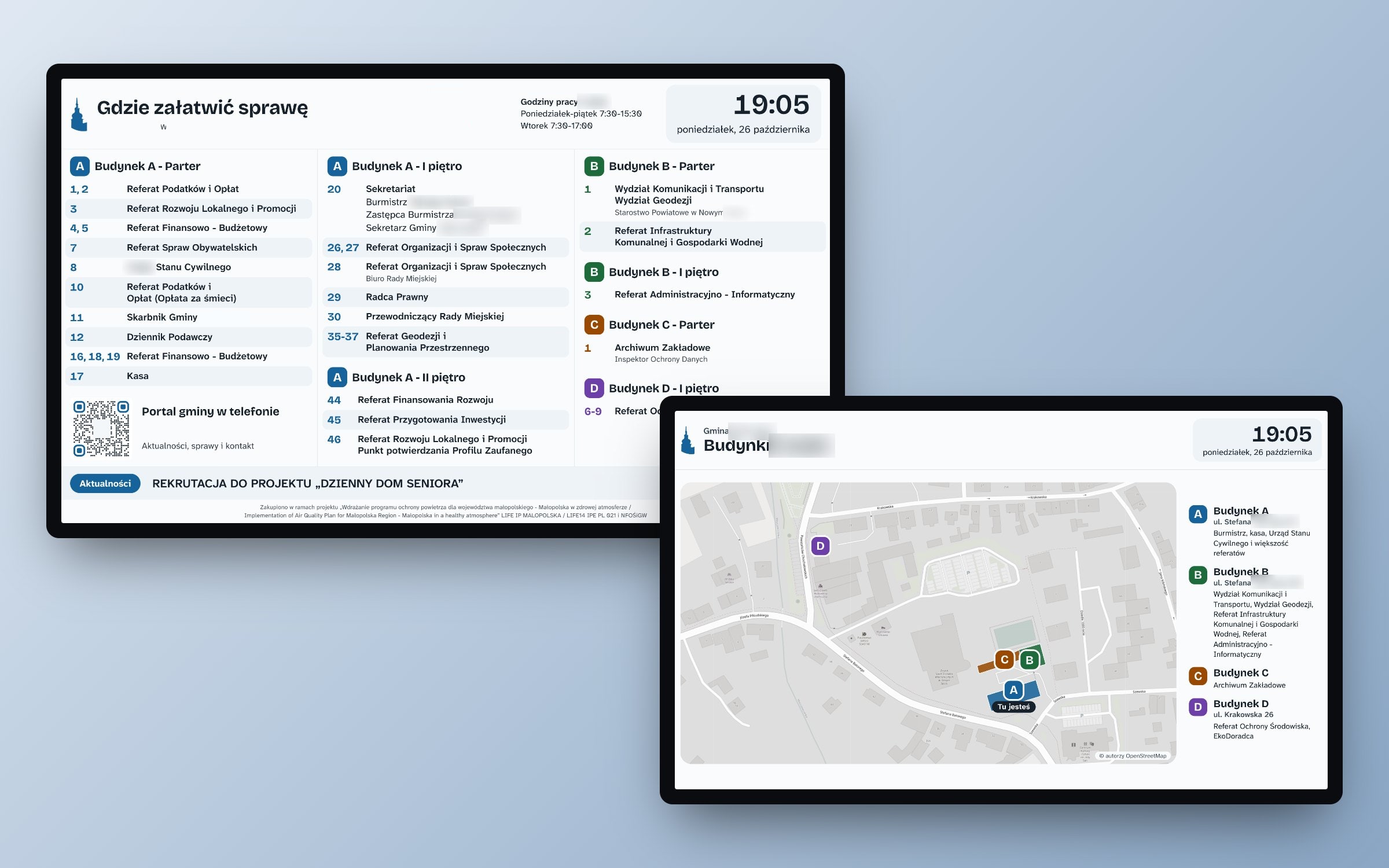
The larger screen displays the layout of departments and rooms in buildings A, B, C, and D. Each building has its own color, which is also used on the floor plan on the second screen and on the markers at the entrance.
- the list of rooms comes from the same collection in the portal's CMS as the contact page,
- the room number change on the panel appears on the board without any implementation,
- at the top, the office hours and a large clock with the date,
- at the bottom, a bar with the latest news from the portal
- the QR code leads to the municipality's portal on your phone.
 (enlarge)
Day and Night
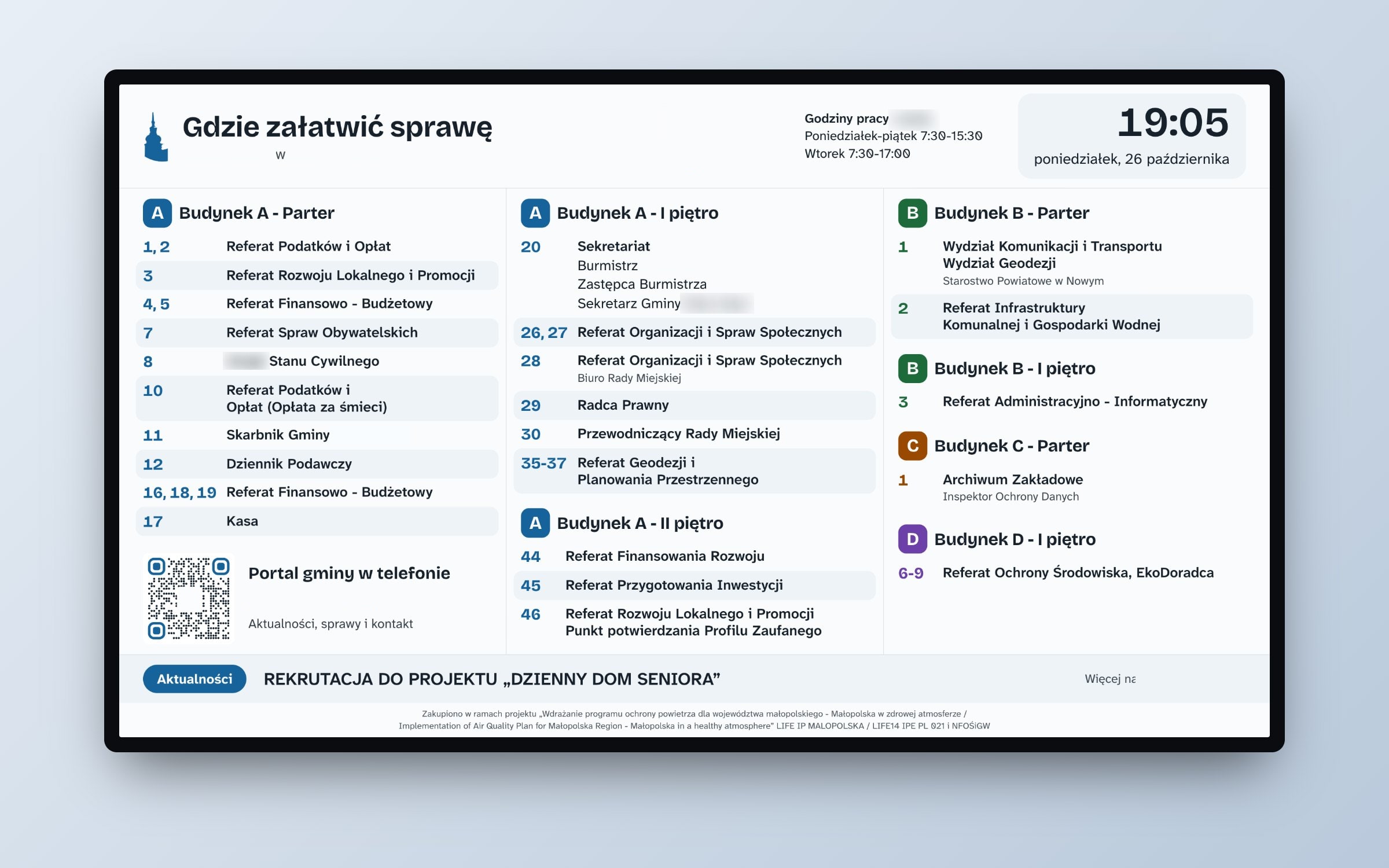
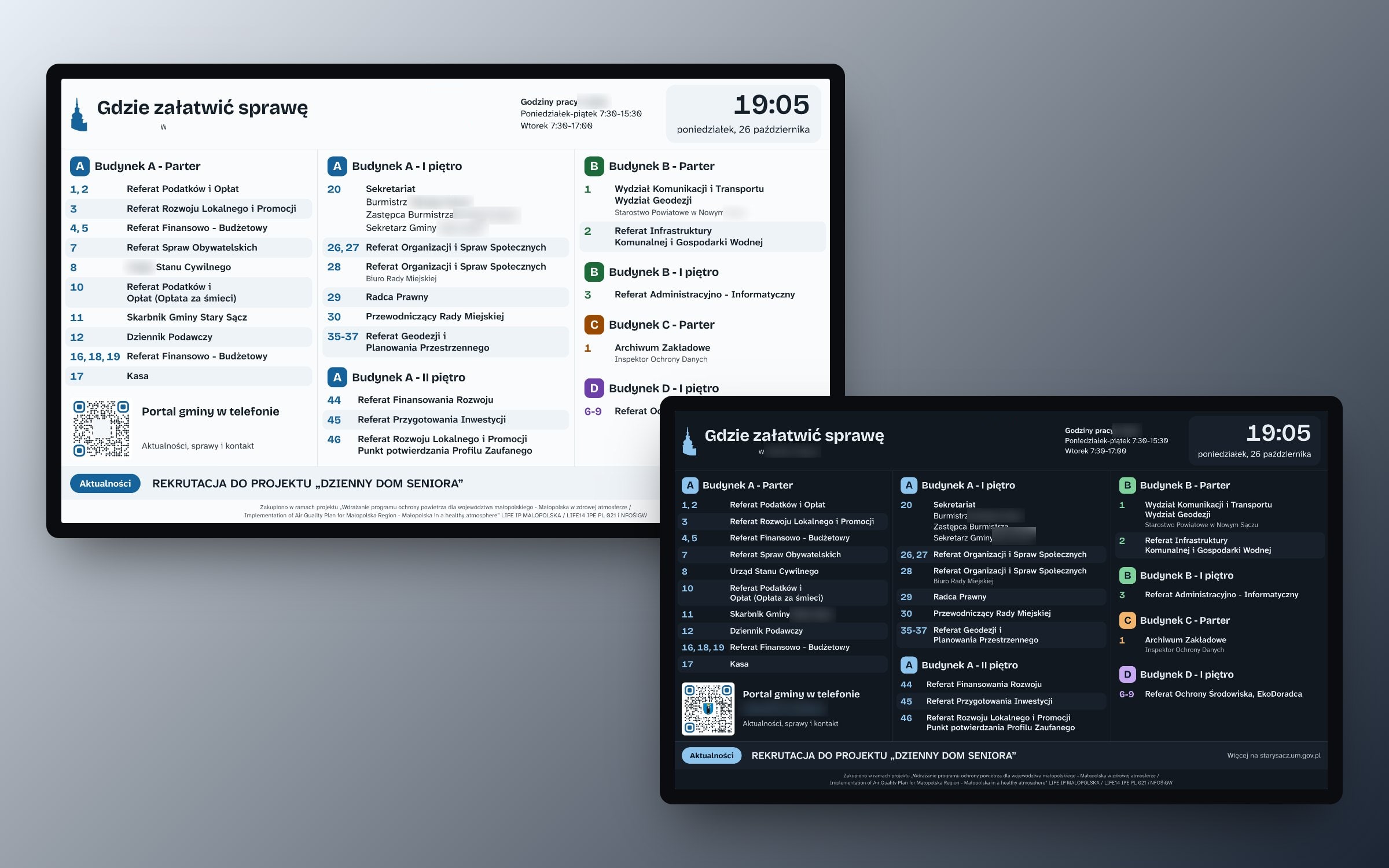
The TV in the hall also lights up in the evening. The board automatically switches to night mode after sunset and returns to day mode after sunrise. It calculates sunrise and sunset times locally without relying on any external service.
The website gets the time from a server rather than the TV's clock. This means you don't have to worry about someone forgetting to adjust the time after switching to winter time.
 (enlarge)
Slides: news, events, weather
The smaller screen displays a few slides rotating:
- featured news items from the portal, with an image and a QR code linking to the full article,
- upcoming events from the portal's calendar, with information on how many days until they start,
- weather forecast from Open-Meteo,
- air quality from Syngeos sensors,
- a map of the office buildings with a marker indicating “Here you are.”
The QR code only appears when the page it links to is actually working. The server checks the addresses every 5 minutes, so no one will scan a code that leads to a 404 error.
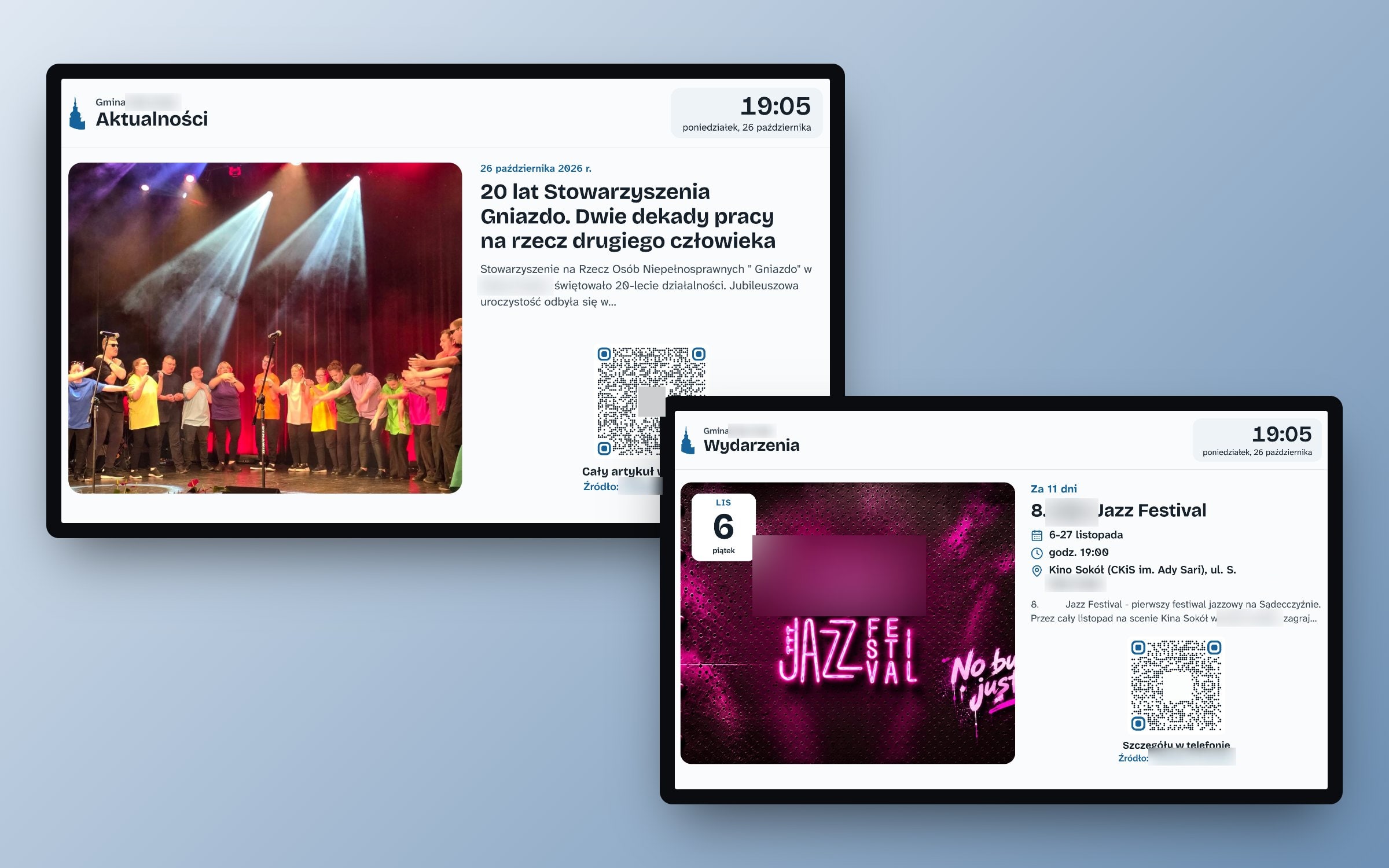 (enlarge)
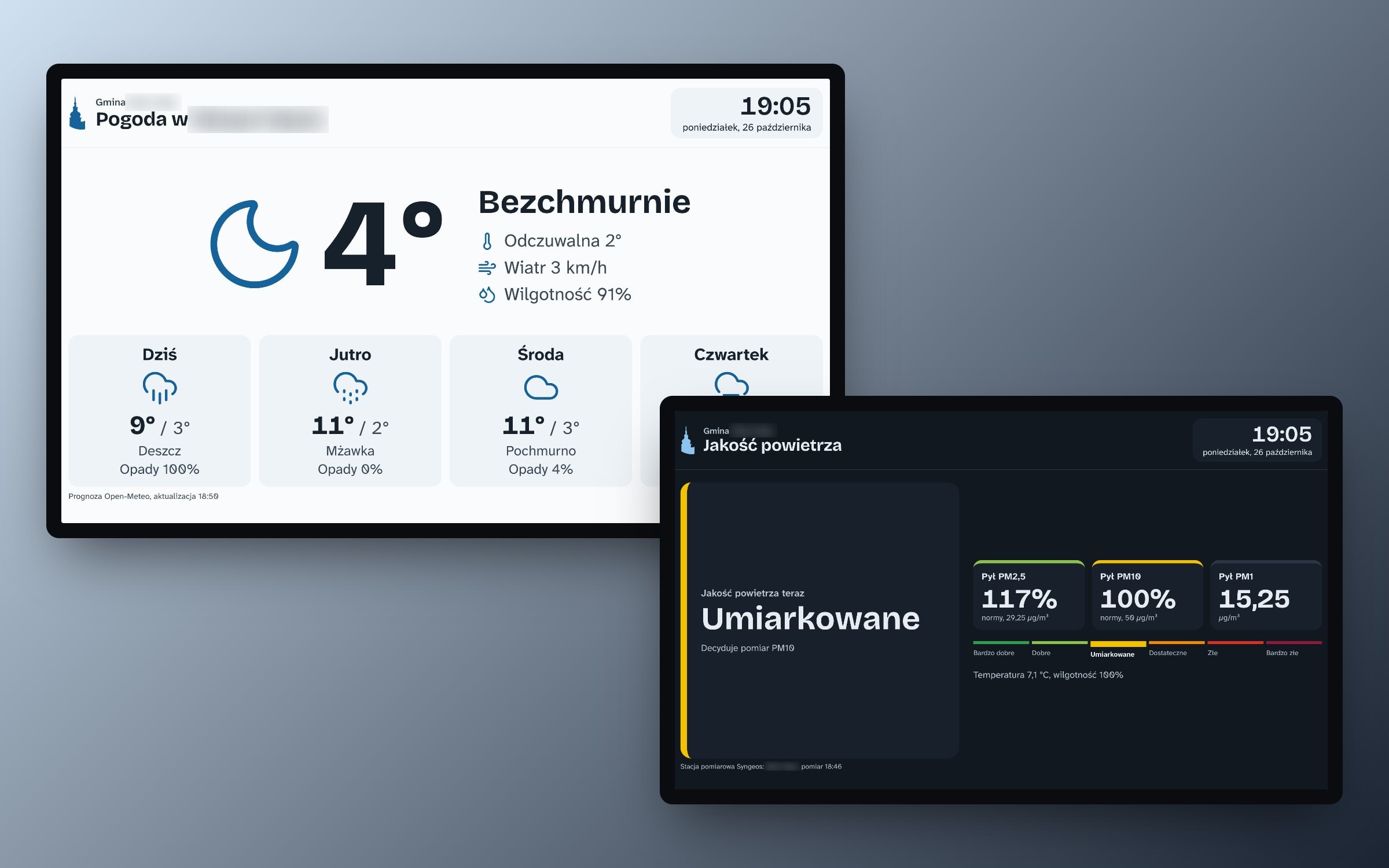 (enlarge)
OpenStreetMap map but hosted on my own server
The building outlines are from OpenStreetMap. The server downloads the map tiles once and keeps them on hand, while the legend uses the same room list as the large board.
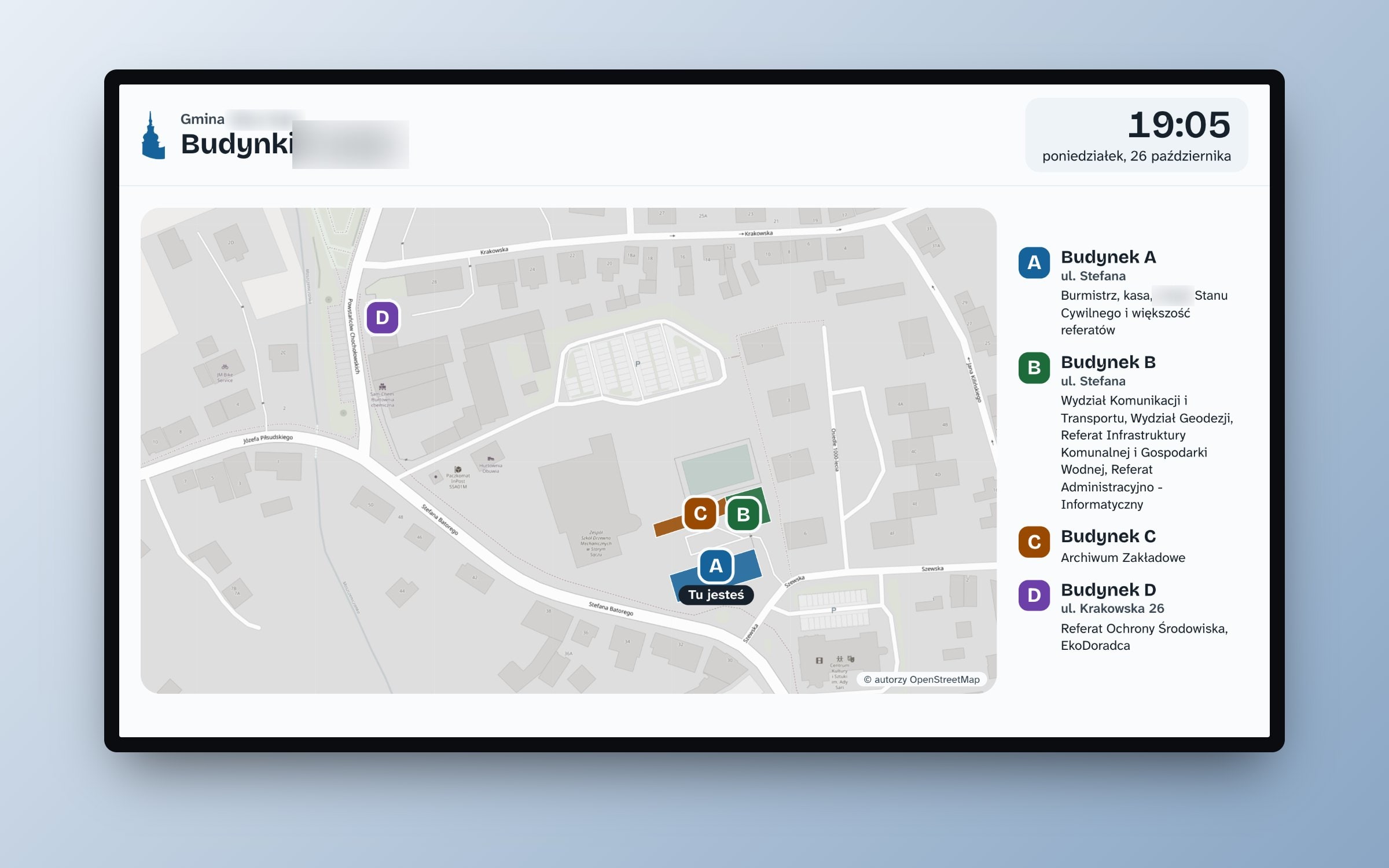 (enlarge)
The Kiosk That Knows Nothing
There's a small computer with Debian next to the TV. It only runs Chromium in kiosk mode using the cage compositor, without a desktop or the ability to exit the browser. A watchdog restarts it if the page stops responding.
All the logic is on the server:
- the data service fetches news, events, weather, air quality, rooms, and maps, then keeps the last good data
- the kiosk fetches everything, including photos, solely from the municipal server,
- when the internet briefly goes down, the board continues to display the last data instead of showing a blank screen,
- slide time and sources are changed in the configuration file without rebuilding the image,
- a separate server monitors the system and sends an SMS when the screen stops requesting data.
The same mechanism works in the bus stop display. Additional screens in the municipality are just a new entry in the configuration.
Uniform appearance from one template
Both boards were created from a template used by other municipal services. They share the same fonts - Atkinson Hyperlegible Next and Bricolage Grotesque - as well as the same color palette and tower symbol. However, the layout is designed for viewing on a TV screen from several meters away, rather than for reading up close like a webpage.
Stack
- Astro (static sites), Tailwind v4, self-hosted fonts,
- Node.js data service, TypeScript without compilation and dependencies,
- The municipal portal's Directus as a source of rooms and events,
- Open-Meteo, Syngeos, OpenStreetMap,
- Debian, cage and Chromium in kiosk mode, systemd,
- Docker deployment with systemd timer using the version tag.