Programming
SMS panel: notifications sent from the browser
A web front end for my SMS gateway: sending to numbers, contacts and groups, scheduled sending, conversations, a shared inbox and notification sign-ups confirmed with an SMS code. One codebase runs as two instances, each with its own SIM card and look.
05/11/2026
My SMS gateway has an API for other systems, but people need something simpler. They want to type a number or pick a group, write the message and see whether it arrived.
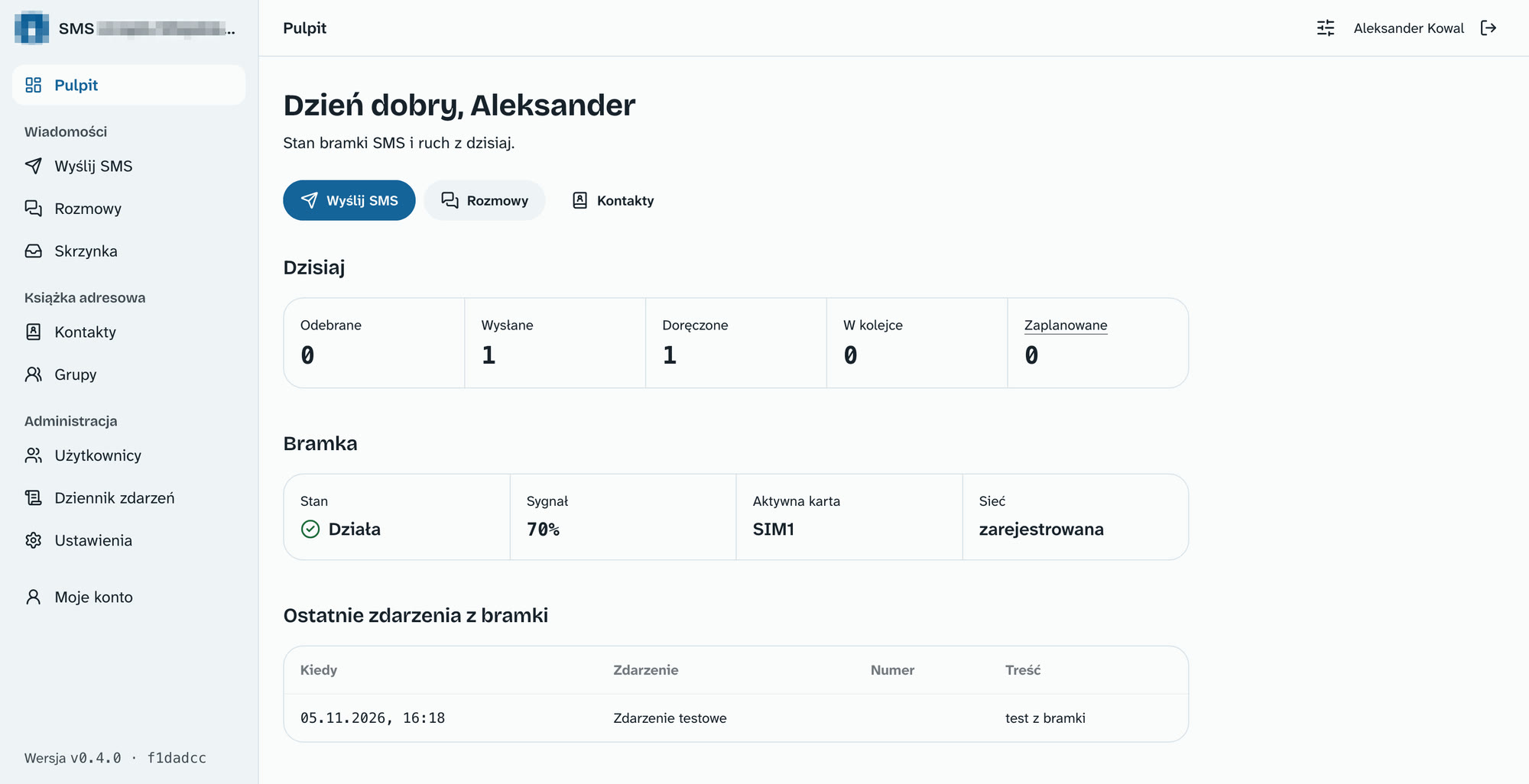
That is how the SMS panel came about: a web application on top of the gateway. It never talks to the modem directly, only to the gateway API. Only the panel server knows the API key, and the gateway itself is reachable only from the local network.
 (enlarge)
One codebase, two instances
The panel operates in two places: as my personal instance and as an institution's instance, with its logo and colors. Each is a separate gateway client, with its own SIM card, API key, and webhook.
The name, owner, default theme and gateway connection are set in each instance's configuration file. A new release is a tag in the repository, and both instances pick it up on their own.
Sending
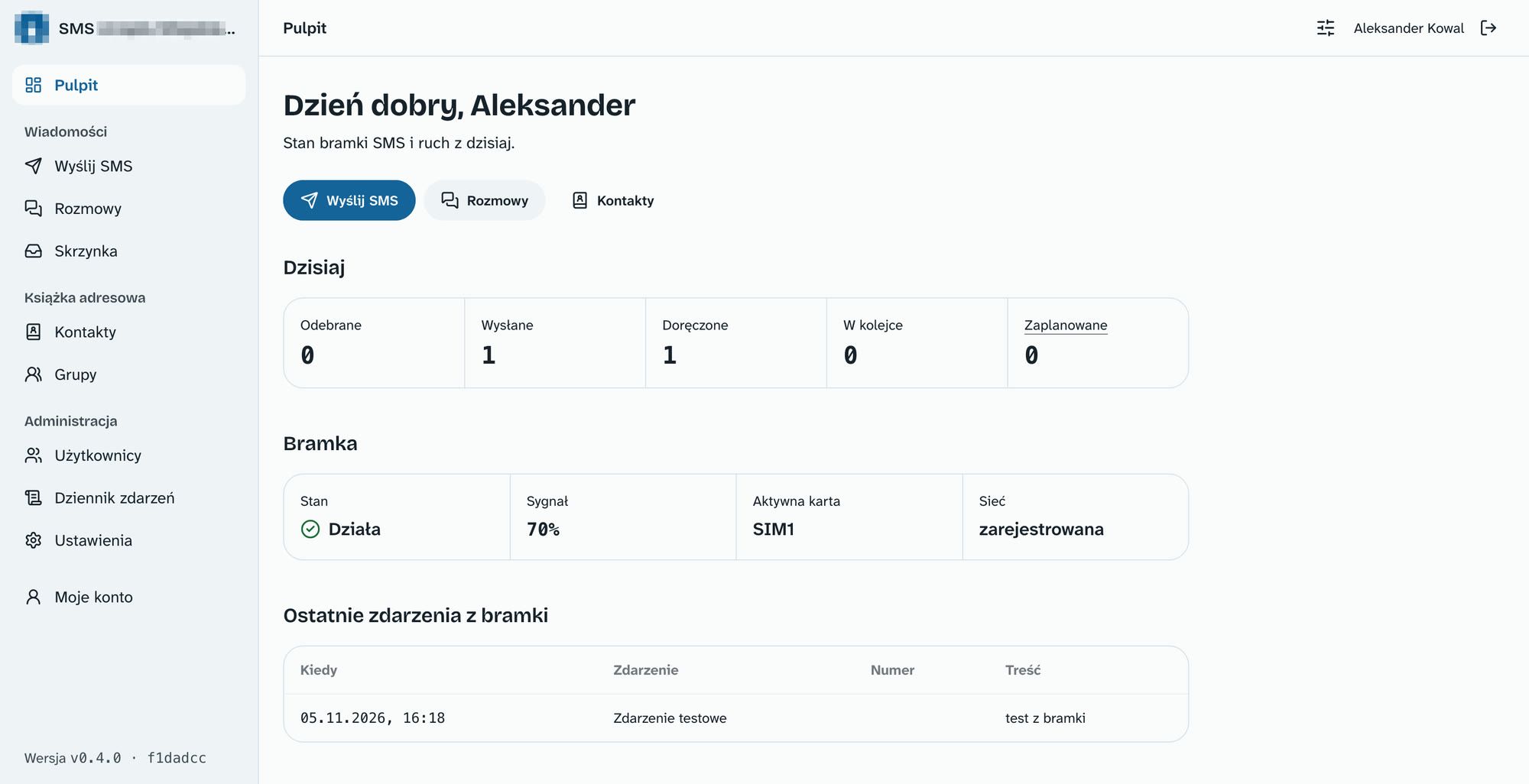
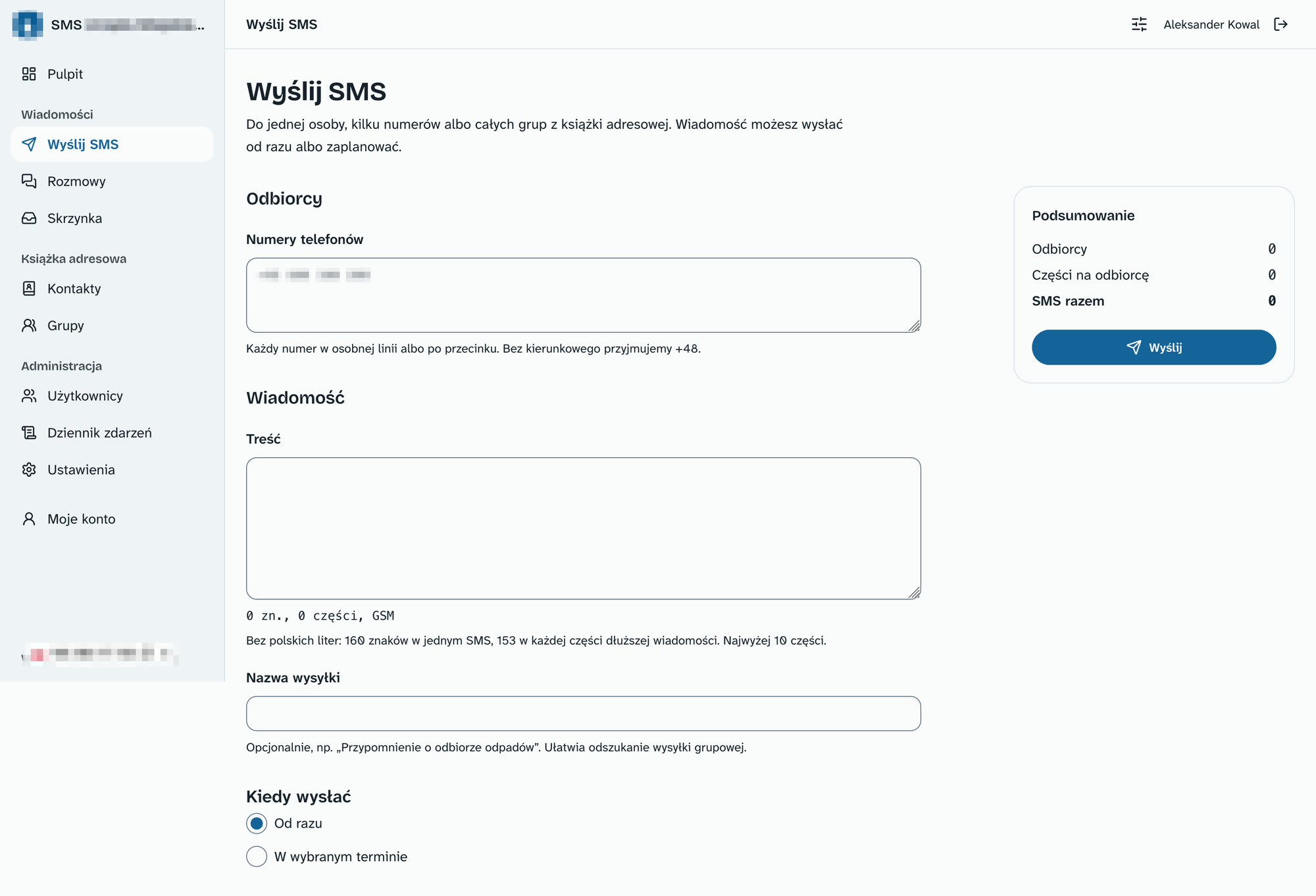
The send form combines several sources of recipients and shows the cost in text messages straight away:
- manually entered numbers, contacts and entire groups in any combination, without duplicates,
- a character and part counter that works exactly like the gateway, up to 10 parts,
- send now or at a chosen time, with the option to cancel,
- live progress: waiting, sent, delivered, failed,
- resending only to recipients where it failed.
Polish letters cut an SMS from 160 to 70 characters. The panel warns about this below the message field, so it is easy to decide whether to write without diacritics.
 (enlarge)
Conversations and a shared inbox
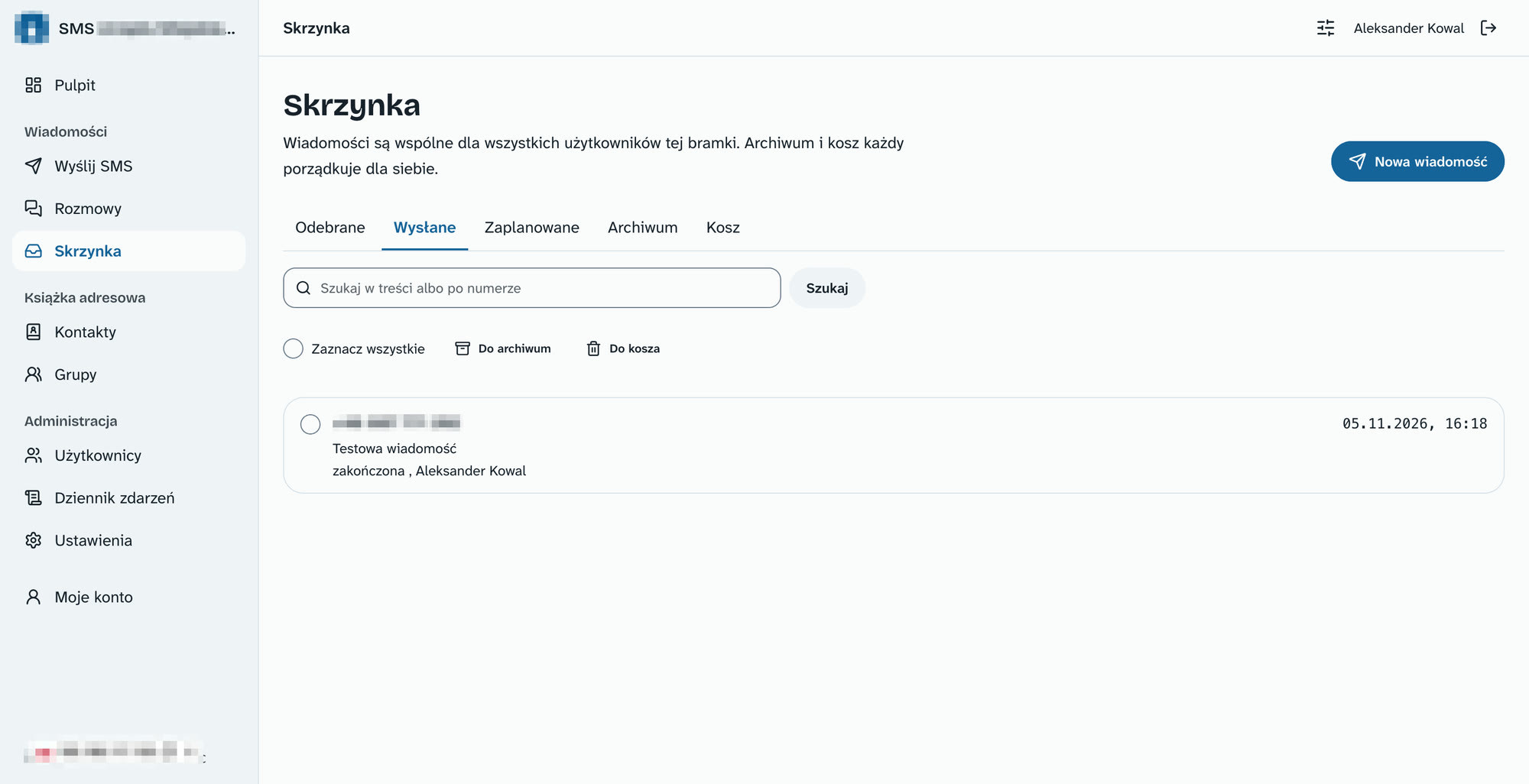
An instance has a single number, so the inbox and conversations are shared among all users. Each user manages their own archives and trash. Conversations group messages by number and allow replying from the thread.
Message statuses arrive from the gateway through a signed webhook. Without a webhook, the panel checks the gateway history every 30 seconds. A status can only move forward, so a late event will not turn "delivered" back into "sent".
 (enlarge)
Address book
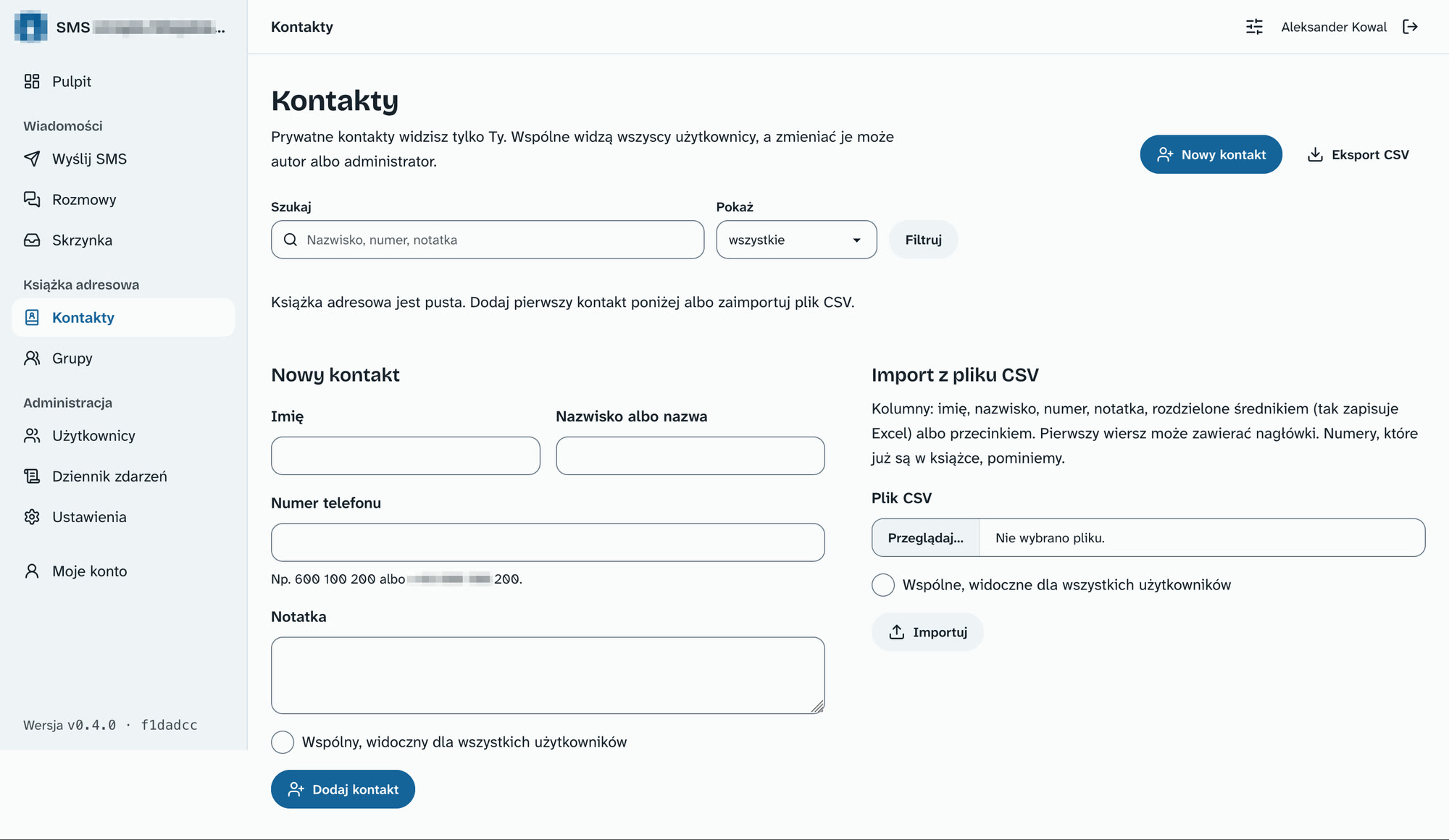
Contacts and groups can be private or shared. Everyone sees shared ones, but only the author or an administrator can change them. CSV import and export handle semicolons, because that is what Excel writes, and skip numbers already in the address book.
 (enlarge)
Notification sign-ups
A group can be opened for public sign-ups. Then it has its own page, an embeddable window for another website, and a simple API. This way, an institution can collect the numbers of people who want to receive SMS notifications.
- every number is confirmed with an SMS code, and the consent text is stored with the sign-up,
- limits per number, IP address and group protect against cost inflation,
- unsubscribing by replying with STOP or on the unsubscribe page, with SMS confirmation.
Security
- argon2id passwords and Redis sessions,
- mandatory two-factor authentication: app or SMS code, plus backup codes,
- limit on login attempts and time-based lockout,
- administrator and user roles,
- event log stored for 12 months.
Look and accessibility
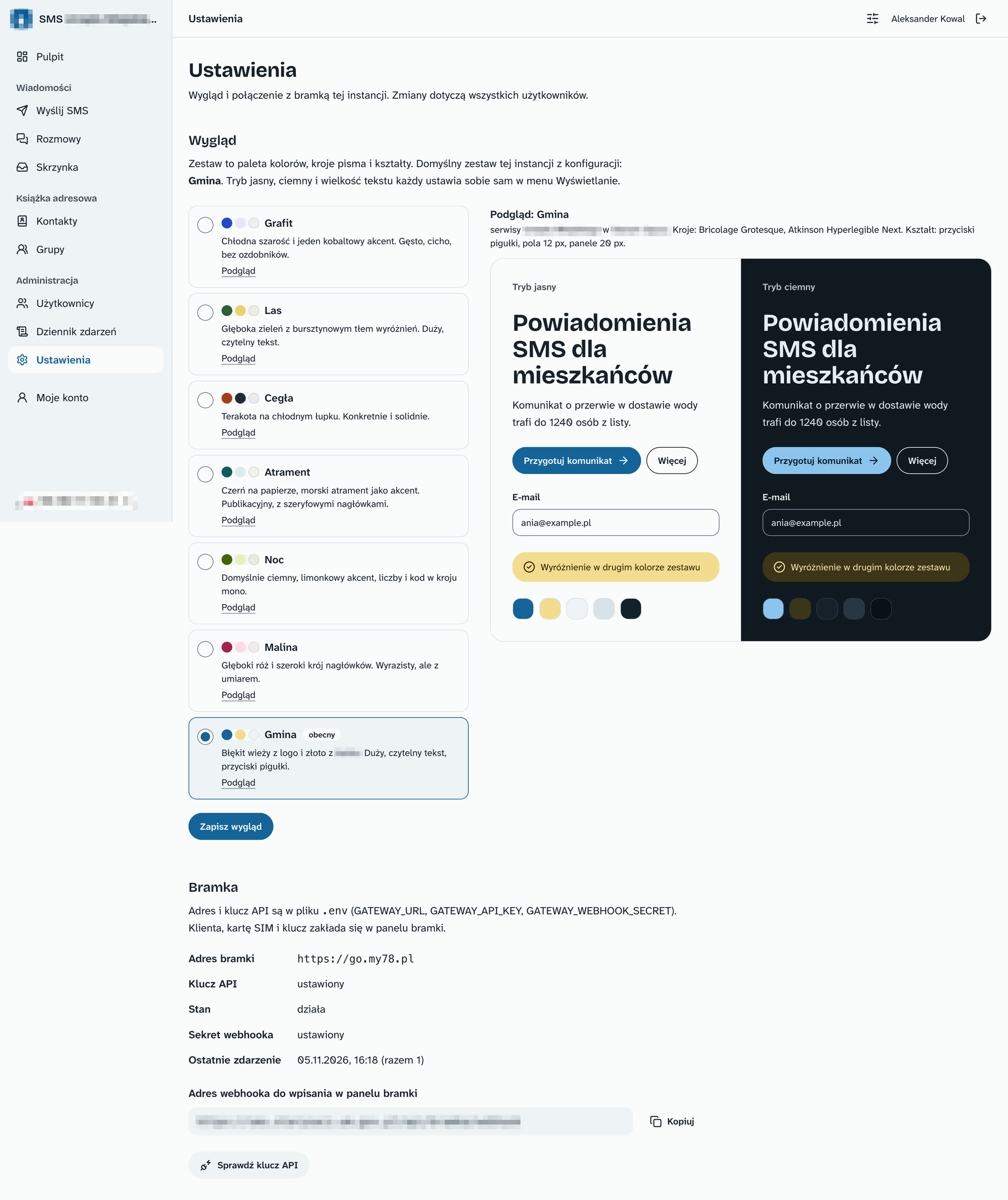
The panel has seven themes, each with its own colour palette, typefaces and shapes. The administrator picks one in Settings and sees a preview in light and dark mode at once. Each user sets their own mode and text size.
The interface is designed for WCAG 2.2 AA. A script checks the colour contrast of every theme before each release.
 (enlarge)
Statistics
Statistics show messages and parts sent, delivery rate, average delivery time and an estimated cost. Each chart has a data table next to it, which screen readers can also read. The panel measures gateway availability itself every 30 seconds.
Good SMS sending doesn't end with the Send button. It's what happens afterwards that matters: did the message arrive, who replied, and is anyone opting out?
- Aleksander Kowal
Stack
- Astro 7 with server-side rendering and a custom API,
- TypeScript, Tailwind v4, DaisyUI v5 and Lucide icons,
- PostgreSQL 16 and Redis 7,
- Docker, deployment from a repository tag.
Was this useful?
New posts by e-mail
Every now and then, when a new post or project goes up. No ads.
Got an idea, a question or a comment? Write to me:Enable JavaScript to see the e-mail address