Website
Ochronka kindergarten website: children's photos for parents only
The new website of the Catholic Kindergarten “Ochronka” in Nowy Sącz: the meal plan on the first screen, six groups with password-protected galleries, dark mode and high contrast. WordPress with custom code instead of more than a dozen plugins, with backups and file checks every night.
03/11/2026
The Catholic Kindergarten “Ochronka” in Nowy Sącz follows the tradition of Blessed Edmund Bojanowski, who founded the first rural kindergartens in the 19th century. For years, its website grew on a commercial template and more than a dozen plugins.
The new site at ochronka.org.pl was meant to be simple for parents on their phones, safe for children's photos and easy for the teachers to run. I did all of it myself, from the audit to deployment and backups.
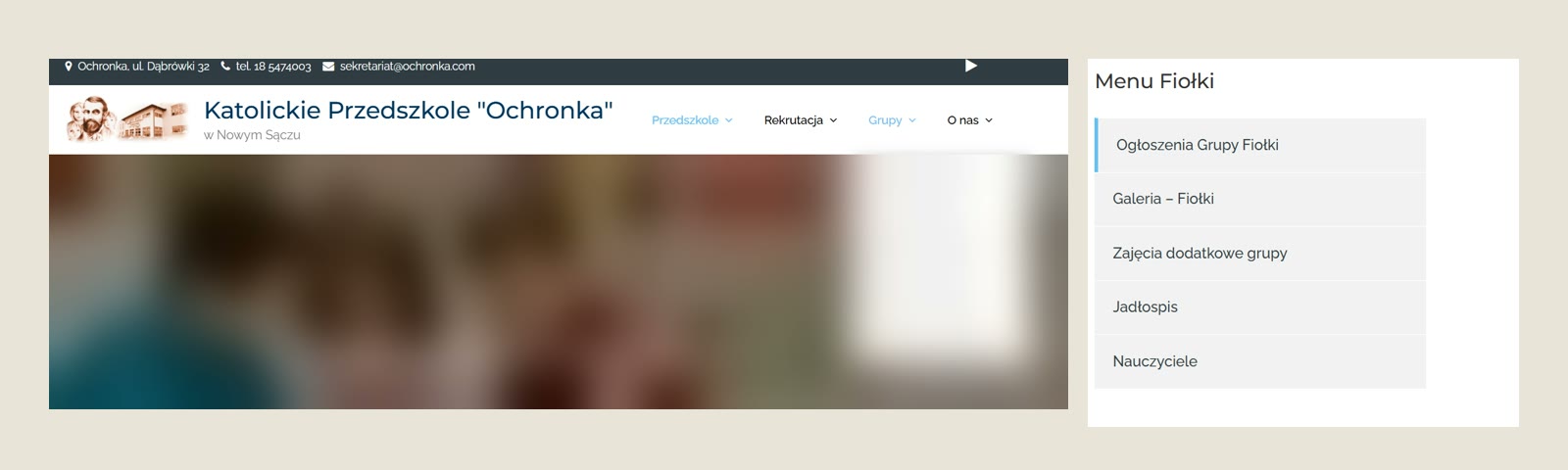
(enlarge)Starting point: audit of the old website
I started with a full copy of the site and the database, then did an audit. The statistics showed who really uses the site: parents on their phones, who come back for the meal plan, announcements and photos of their child's group.
The audit identified several serious issues:
- around 600 photo posts of children were publicly accessible and indexed by search engines,
- children's names appeared in the addresses and titles of photo posts,
- 19 active plugins, including five for the editor alone and two for galleries,
- shared group accounts with full editor permissions and no login attempt limits,
- fonts loaded from Google and statistics storing visitors' full IP addresses,
- 10 GB of photos, including approximately 75,000 thumbnails in several sizes.
The content also needed tidying up. The photo posts from group life were set up as pages rather than posts. Each group had five subpages, but parents mainly used two of them.
 (enlarge)
Meal plan and groups on the first screen
The most frequently visited subpage was the meal plan. Therefore, on the new website, today's meal plan is directly on the homepage, without needing to search in the menu.
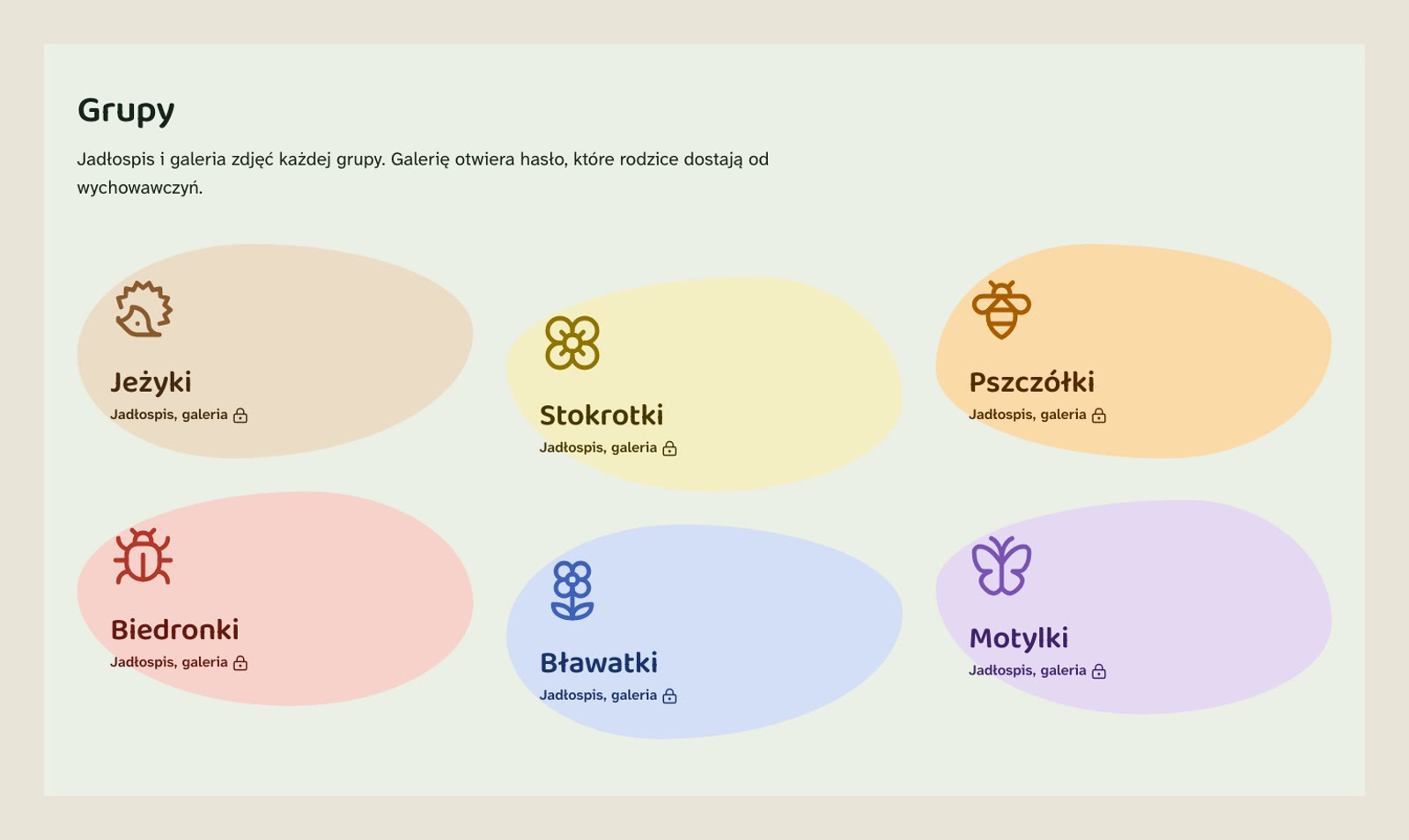
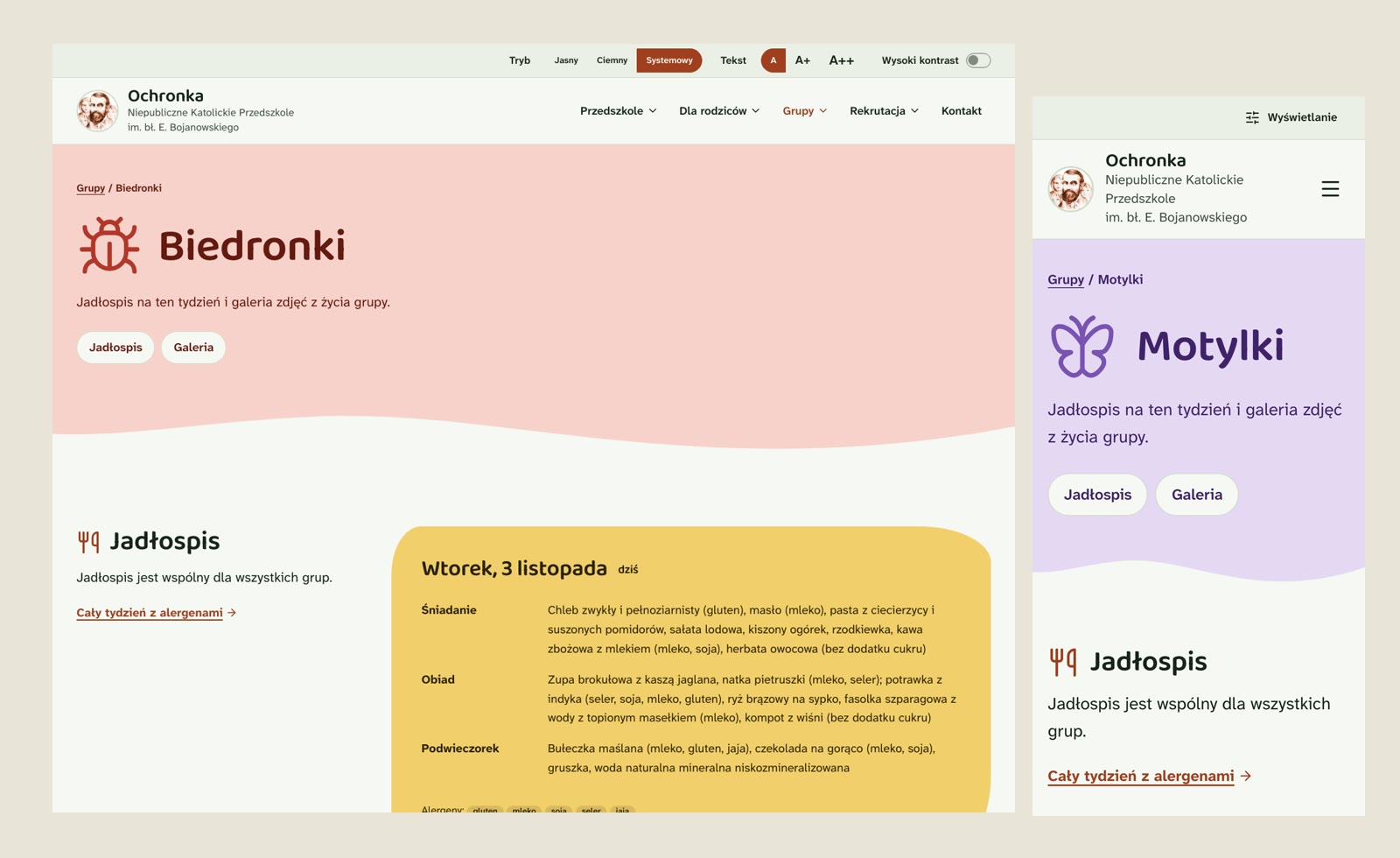
The kindergarten also changed the group names. Now it's a meadow: Jeżyki (Hedgehogs), Stokrotki (Daisies), Pszczółki (Bees), Biedronki (Ladybirds), Bławatki (Cornflowers) and Motylki (Butterflies). Each group received its own colour and a simple line drawing as a symbol.
A symbol is never the only carrier of information, the group name always stands next to it. Names are not part of page addresses or account names, so the next change is a single edit in the admin panel.
 (enlarge)
One group page instead of five
As the kindergarten asked, each group page has only two sections: the meal plan and the gallery. Teachers, announcements and extra activities moved to the shared kindergarten pages.
 (enlarge)
Meal plan with allergens
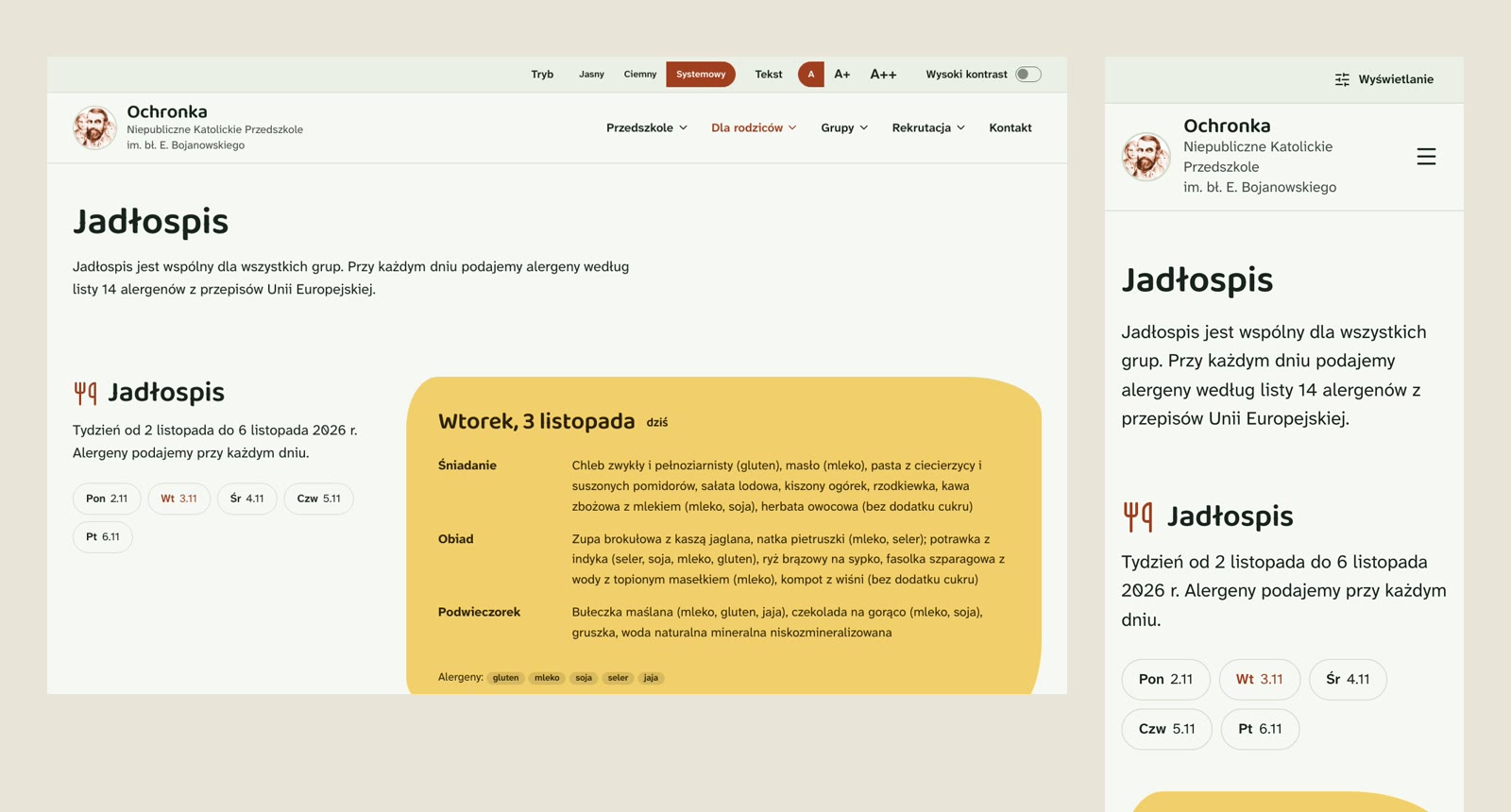
The meal plan has its own content type in the panel. The kitchen enters one week at a time: the date of Monday and three meals for each day. Allergens are marked from a list of 14 allergens according to European Union regulations.
On the site, the days of the week are tabs you can switch with the arrow keys. Without JavaScript, all days simply appear one below the other. Previously, the meal plan was pasted from Word through a separate plugin.
 (enlarge)
Children's photos for parents only
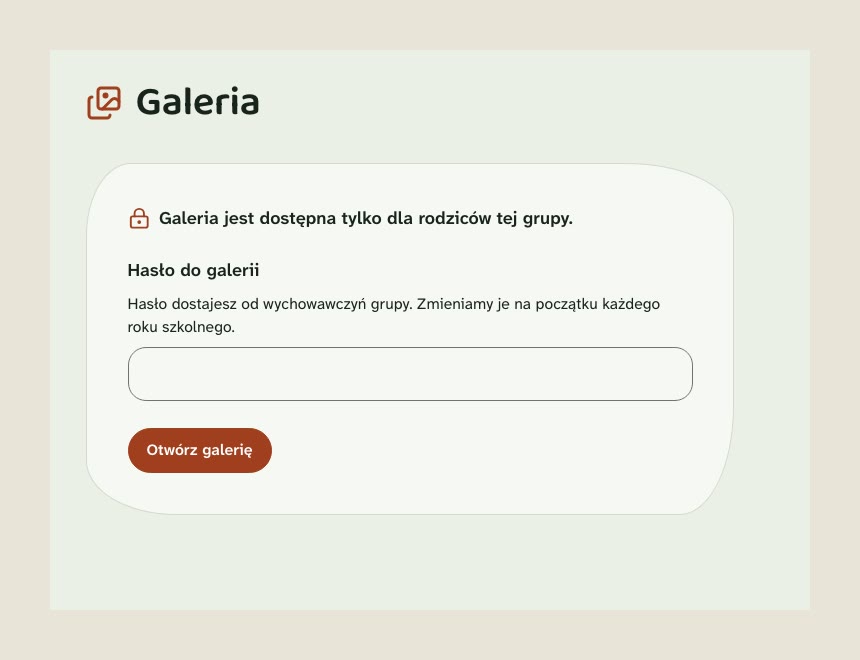
This was the most important change in the entire project. The kindergarten decided that the galleries should be password-protected, with separate access for each group. Parents receive the passwords from the teachers.
The built-in WordPress password is not enough here, because it only protects the page content. The image files themselves still have ordinary, public addresses. That is why galleries are handled by a custom module:
- separate password for each group, changed at the beginning of the school year,
- limited attempts and signed session cookie, with password change logging everyone out,
- over 23 thousand photos received random, unguessable file names,
- new photos get this name right after uploading,
- photo posts are excluded from the sitemap and marked as not indexable by search engines.
Photos from phones are resized and lose their EXIF metadata, including GPS location, when uploaded. Children's names have disappeared from the addresses of photo posts.
 (enlarge)
Appearance: soft but clear
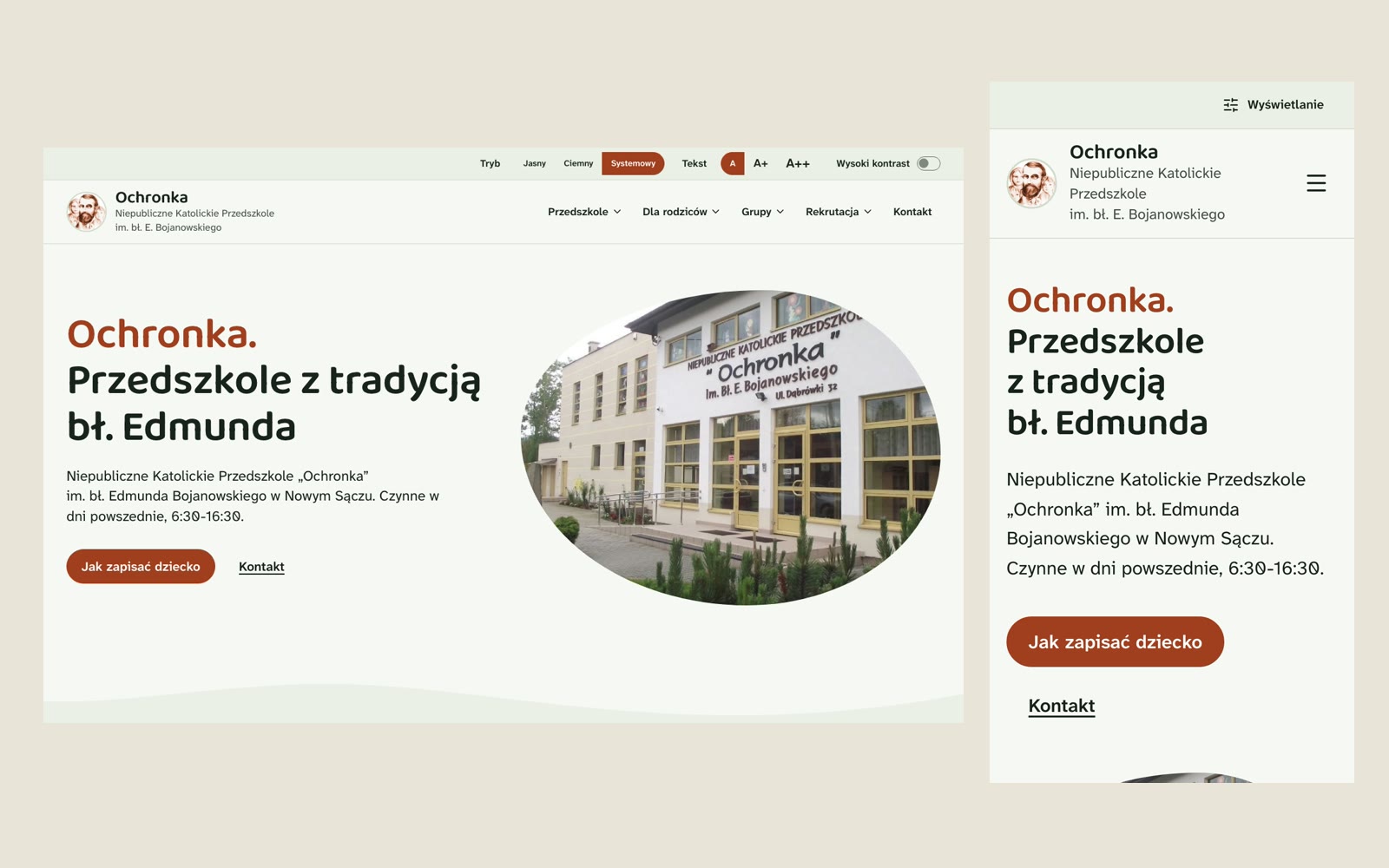
The old website was built with rectangular blocks and stock photos of children. The new one is supposed to be warm and rounded, without being childish. The homepage features a real photo of the kindergarten building.
- colours taken from the sepia logo, with terracotta darkened to meet contrast requirements,
- pill-shaped buttons, panels with large rounded corners and wave-shaped transitions between sections,
- headings in Baloo 2, body text in Atkinson Hyperlegible Next, both with full Polish character support,
- fonts served from my own server, without using Google Fonts,
- Lucide icons as embedded SVGs.
First I made mockups of the homepage and a group page. Only after they were approved did I build the WordPress theme from them.
Accessibility from the first line of code
The kindergarten is publicly funded, so the website should meet WCAG 2.2 AA. I did this in the theme code, without accessibility overlays.
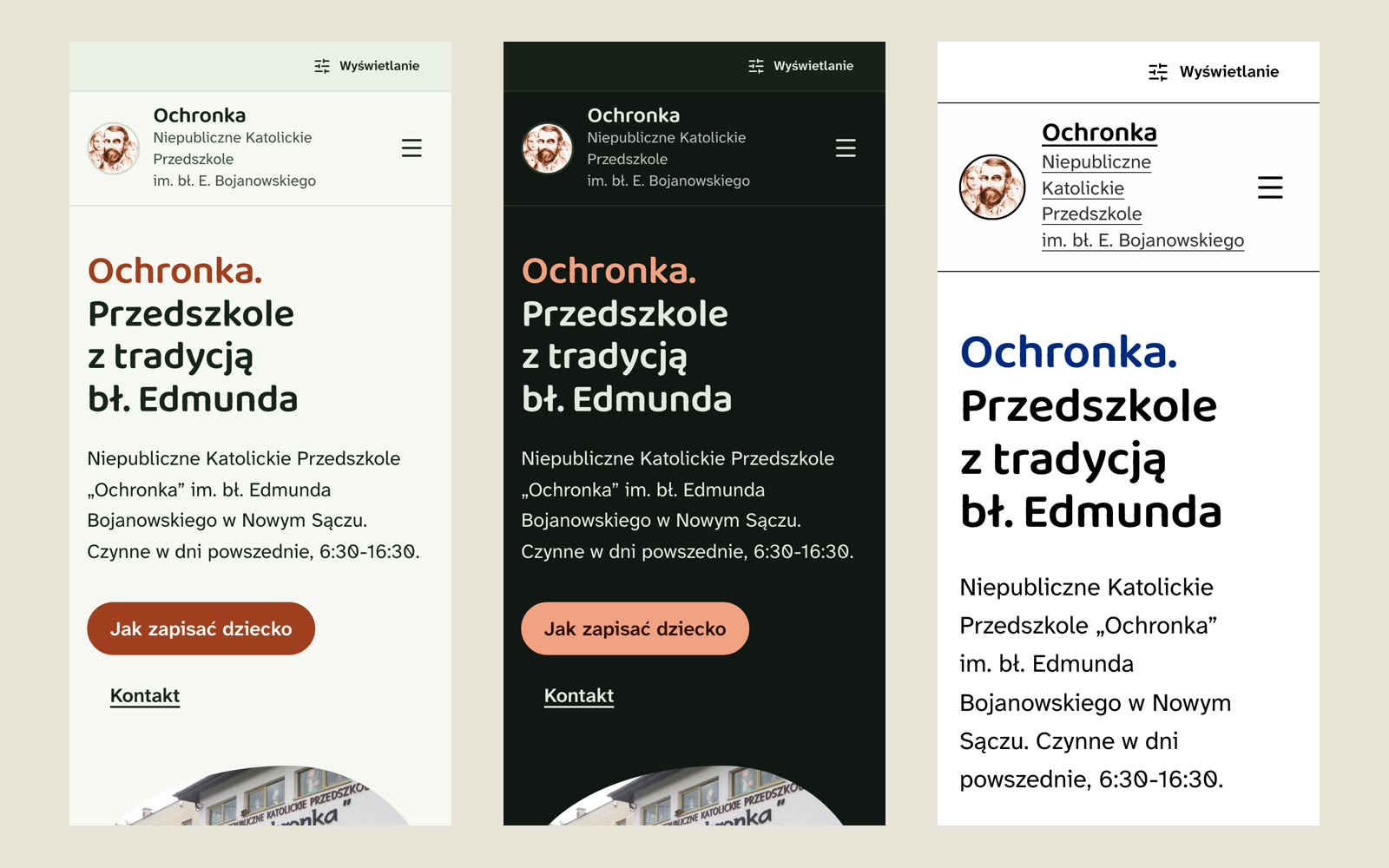
The visitor can customize the appearance themselves:
- light or dark mode, or following the system setting,
- three text sizes,
- a high-contrast mode that also highlights all links.
The contrast of each colour is checked by a separate script in all modes, including for group colours. The website has an accessibility declaration and a privacy policy written in plain language.
 (enlarge)
WordPress with custom code instead of plugins
The site stays on the kindergarten's shared hosting, which offers no SSH access. WordPress stayed, but as bare as possible. Of the 19 plugins, only two remain, both for the classic editor the teachers already know. The rest was replaced by my theme and five small mu-plugins:
- content such as groups, photo posts and weekly meal plans, independent of the theme,
- password-protected galleries and photo file protection,
- hardening: a login attempt limit, XML-RPC disabled, REST for logged-in users only, account usernames hidden,
- plugin installation and code editing blocked in the admin panel, code reaches the server only from the repository,
- 301 redirects from old URLs, including those with emojis,
- a database dump for backups.
Statistics come from a self-hosted Matomo, with no cookies. The only cookie on the site remembers the group gallery password.
Migrating 700 pages
I migrated with WP-CLI scripts, always in dry-run mode on a copy of production first. Post and image IDs stayed the same, only the type and the address changed.
- 626 pages with galleries became photo posts assigned to groups,
- old groups got their new names based on the teachers' timetable,
- 670 old URLs redirect to the new ones,
- I replaced shortcodes of old plugins with regular HTML,
- I disabled 16 plugins and custom code took over their jobs.
I cleaned up content pasted from Word over the years with a script. The statute and documents that existed only as PDFs are now text on the site, with a link to a PDF for printing. Proofreading of 46 paragraphs was done by Bielik, a Polish language model running locally on my computer.
On a kindergarten website, effects are not what matters most. What matters is that a parent finds today's lunch in a few seconds and their child's photos never end up in a search engine.
- Aleksander Kowal
Backups and checks every night
The site runs on its own on the hosting. My home server only does extra work, so if it fails, the site keeps working. Every night it:
- downloads the database dump and file mirror via encrypted FTP,
- compares WordPress core files with the official checksums,
- looks for PHP files in the uploads directory and for changes in the theme code,
- records backup history in restic: 14 daily, 8 weekly, and 12 monthly backups,
- sends me an SMS if there's an error or unexpected change.
Deployment runs from the repository through OneDev CI. Before uploading, CI checks contrast and PHP syntax and builds the CSS. The site footer shows the version and build number.
Stack
- WordPress with a custom theme and mu-plugins modules,
- PHP 8.4, TailwindCSS v4 and DaisyUI v5 with a custom colour scheme,
- Lucide icons, Baloo 2 and Atkinson Hyperlegible Next fonts from my own server,
- Matomo without cookies,
- OneDev CI, backups via FTPS and restic on my home server.
Was this useful?
New posts by e-mail
Every now and then, when a new post or project goes up. No ads.
Got an idea, a question or a comment? Write to me:Enable JavaScript to see the e-mail address