
Programming
ChurchStream: Live Church Streams on YouTube 24/7
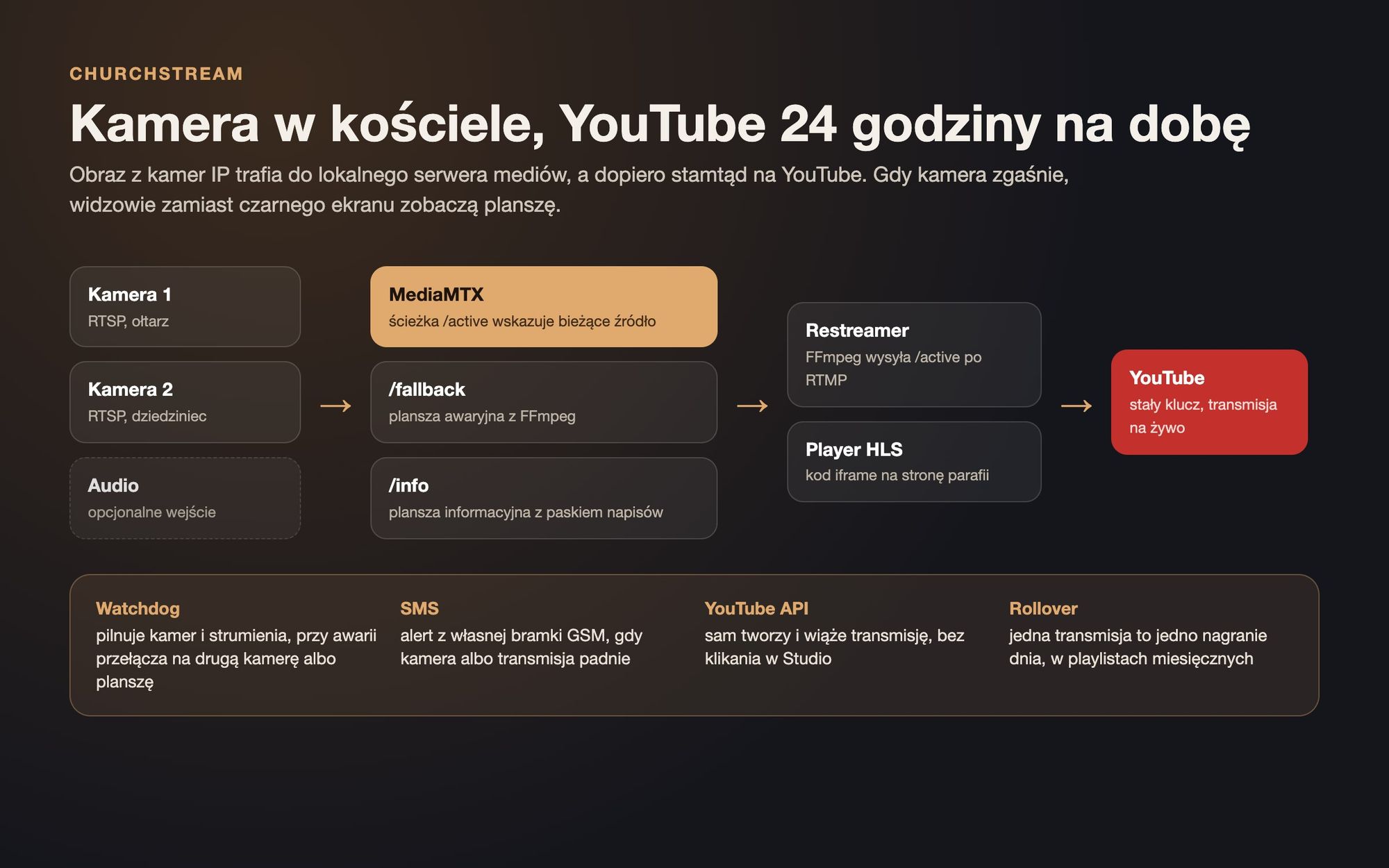
A system that autonomously streams live from church cameras on YouTube 24/7: switches cameras in case of failure, shows a slide instead of a black screen, sends an SMS, and daily creates new recordings without manual intervention in YouTube Studio.
25/10/2026
Many parishes and monasteries stream Masses on YouTube. Typically, it looks like this: a computer in the sacristy, OBS software, and someone who remembers to click ‘Start broadcast’ in the morning. If the camera freezes or the power goes out, the stream just stops.
ChurchStream is a system that does this automatically. IP cameras broadcast live to YouTube around the clock, and the server ensures continuous streaming even if something fails along the way.
How It Works
The feed from two RTSP cameras first goes to a local media server called MediaMTX. There's a special 'active' path in it that indicates the current source: camera one, camera two, an emergency slide, or an information slide.
A separate container with FFmpeg sends this single track to YouTube. This ensures that switching cameras doesn't interrupt the connection to YouTube. The viewer simply sees a different image.
When the camera goes dark
- the watchdog constantly checks the cameras and stream
- when the camera stops responding, switching to a second one takes over,
- when both fail, viewers see an emergency slide instead of a black screen,
- the administrator receives an SMS from their own GSM gateway, without using paid online gateways,
- after returning the camera, the automatic mode switches back to live view.
YouTube Without Clicking
The most tedious thing about 24/7 streams is YouTube itself. Data sent to the static key arrives correctly but doesn't create a visible stream. Someone has to log into YouTube Studio and start it manually.
ChurchStream does this through YouTube Data API:
- it creates the stream itself, links it to a static key, and sets automatic start,
- every night it closes the current live stream and opens a new one, so each day is represented by one recording
- the recordings are added to monthly playlists, making it easy to find a Mass from a specific day
- organises unused keys and old recordings, always with manual confirmation,
- ensures the daily API request limit is adhered to, so that cleaning routines don't block everyday work.
Parish Panel
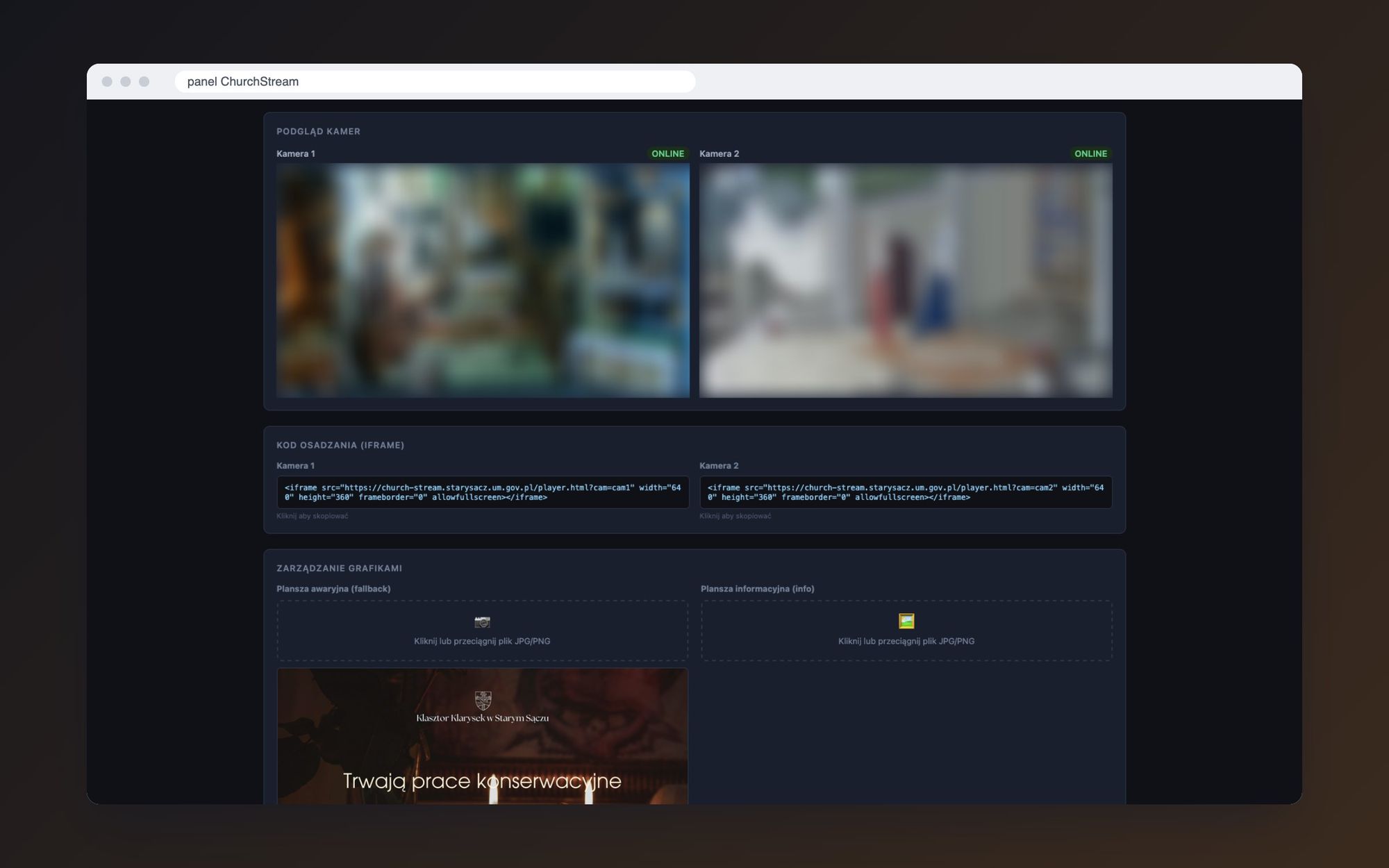
Everything is managed through a simple browser-based panel. The person from the parish doesn't need to know what RTSP or RTMP are:
- switching sources with one click: camera 1, camera 2, slide or automatic mode,
- starting and stopping live streams on YouTube,
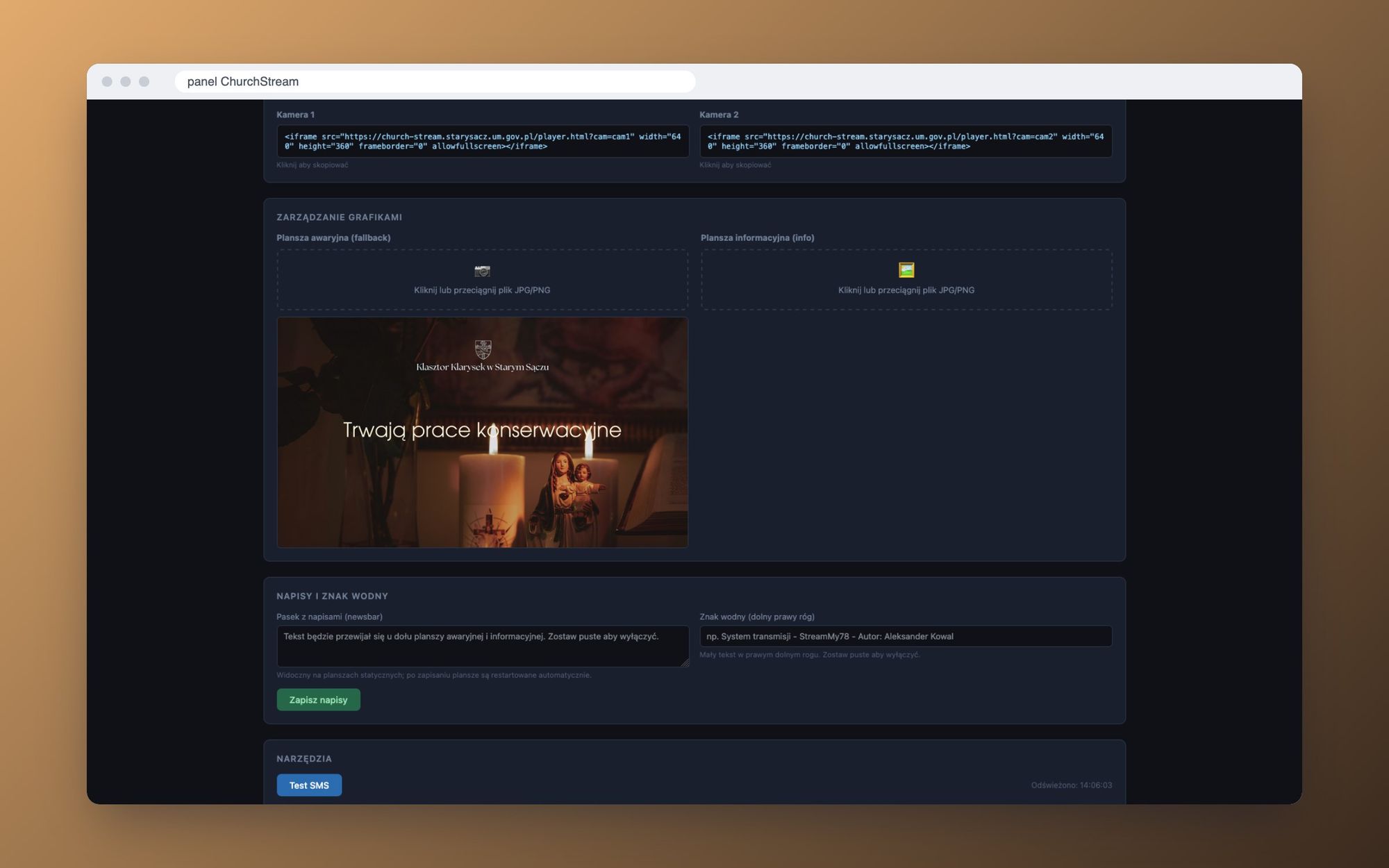
- replacing the emergency and information screens by dragging a file,
- a scrolling text bar with announcements and a watermark in the corner,
- ready-to-use iframe codes for embedding the player on a parish website,
- SMS sending test.
Implementations
The first installation is at the Convent of St. Clare's Nuns in Stary Sącz, and the stream is embedded on their new website. The second one streams from the Parish of St. Roch in Nowy Sącz. The improvements that came up with the second implementation were returned to the first.
The repository serves as a template for other parishes. I've documented a step-by-step runbook for new deployments: each parish gets its own server, separate YouTube channel, and individual Google Cloud project, with no shared keys.
Someone who can't attend Mass in person - a sick person, an elderly person, someone abroad - is watching the broadcast. For them, a black screen at 7am isn't just a minor glitch.
- Aleksander Kowal
Stack
- MediaMTX as a media server and HLS source for the player,
- FFmpeg for re-streaming and generating on-screen messages,
- Python controller on FastAPI: Watchdog, YouTube Data API, Panel API,
- NGINX with a panel and player,
- Docker Compose and custom SMS gateway for alerts.