
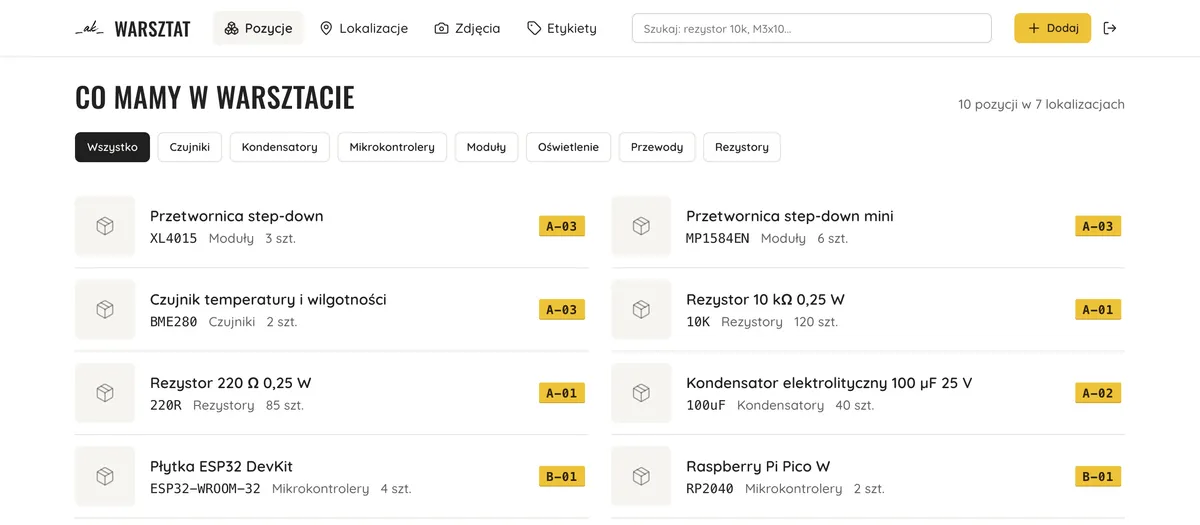
Over the years my home workshop has collected lots of parts, modules and tools. The problem is that I did not always remember what I had or where it was. So I built a simple app to keep an inventory of the workshop.
Over the years my home workshop has collected lots of parts, modules and tools. The problem is that I did not always remember what I had or where it was. So I built a simple app to keep an inventory of the workshop.
 (enlarge)
Where the Idea Came From
Anyone who tinkers knows this scenario. You start a new project, you are missing a converter or a few resistors, so you order them online. A week later you find three identical modules in a drawer, left over from a previous order.
It happened to me far too often. Parts were scattered across boxes, drawers and zip bags. Buying new ones was faster than looking for the old ones.
How the Inventory Works
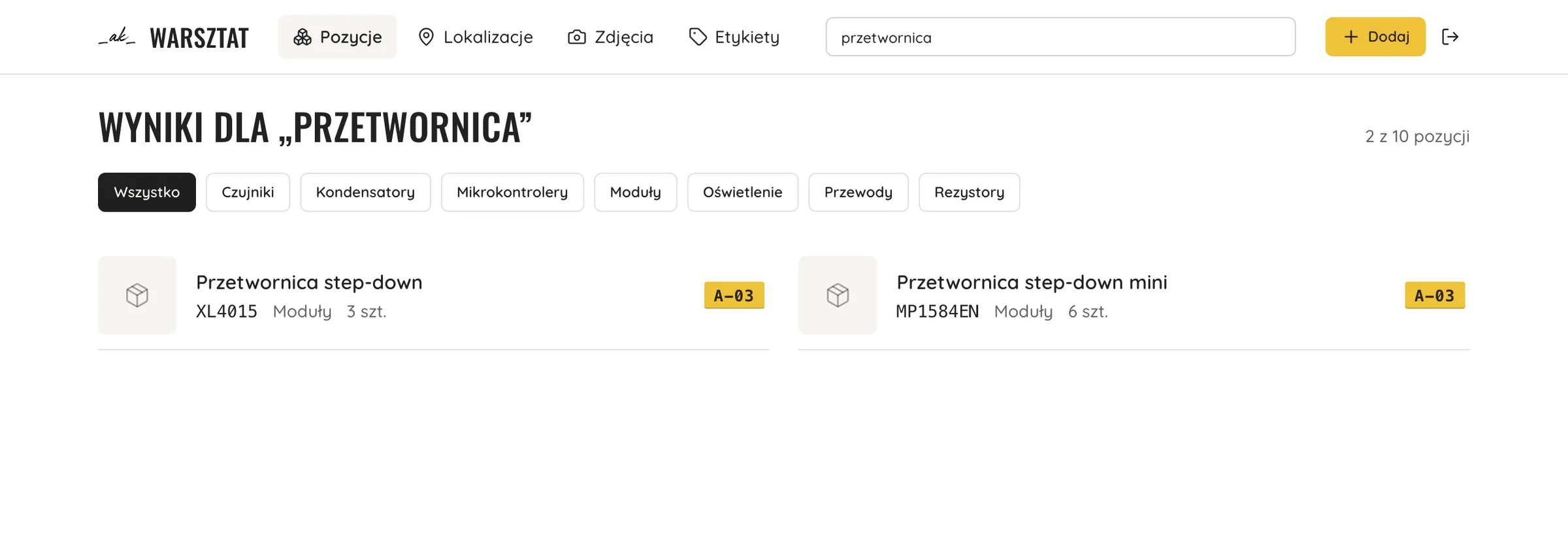
The app runs in a browser on a computer and on a phone. Each item has a name, a symbol, a category, a quantity and the place where it is stored.
Adding new items is as easy as I could make it:
- I take 2-4 photos of the item with my phone: the whole thing, the marking or label, and the packaging,
- I add the location and quantity, for example "A-03, about 50 pieces",
- a language model running locally on my computer recognises the part and suggests a description,
- I check the suggestion and approve it with one button.
If the item is already in the inventory, the app notices. Instead of creating a duplicate, it suggests increasing the quantity.
 (enlarge)
Order That Lasts
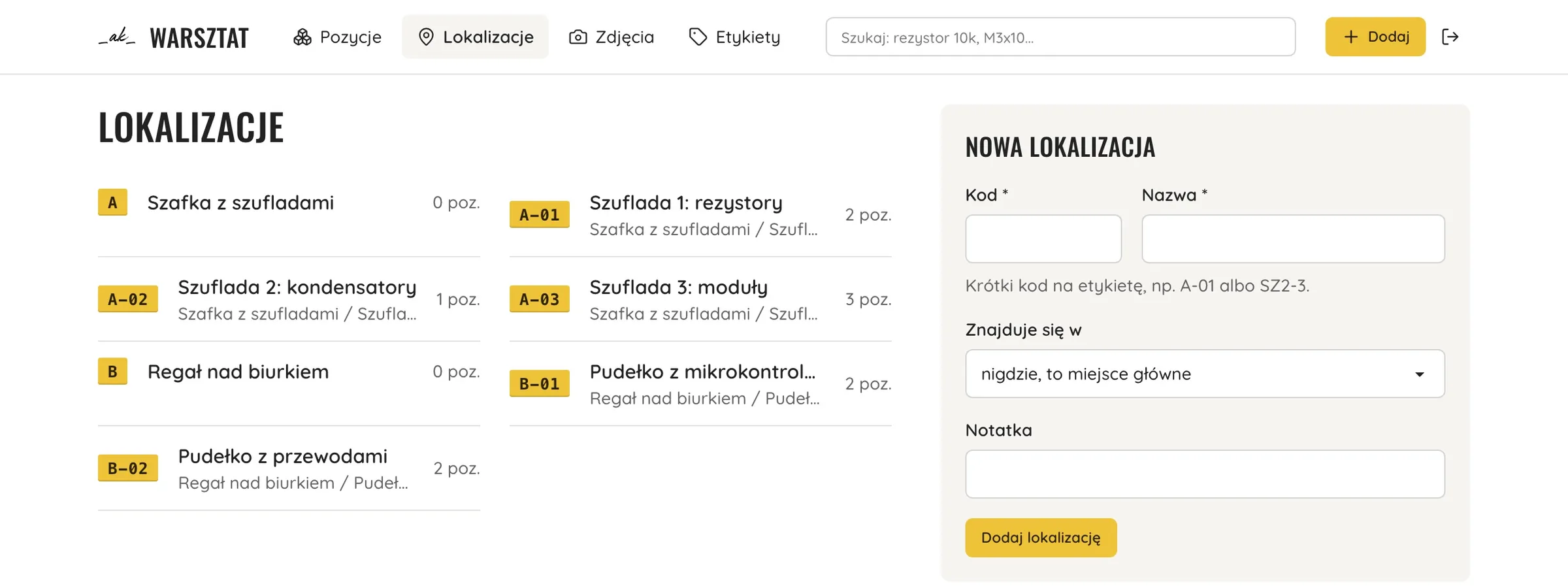
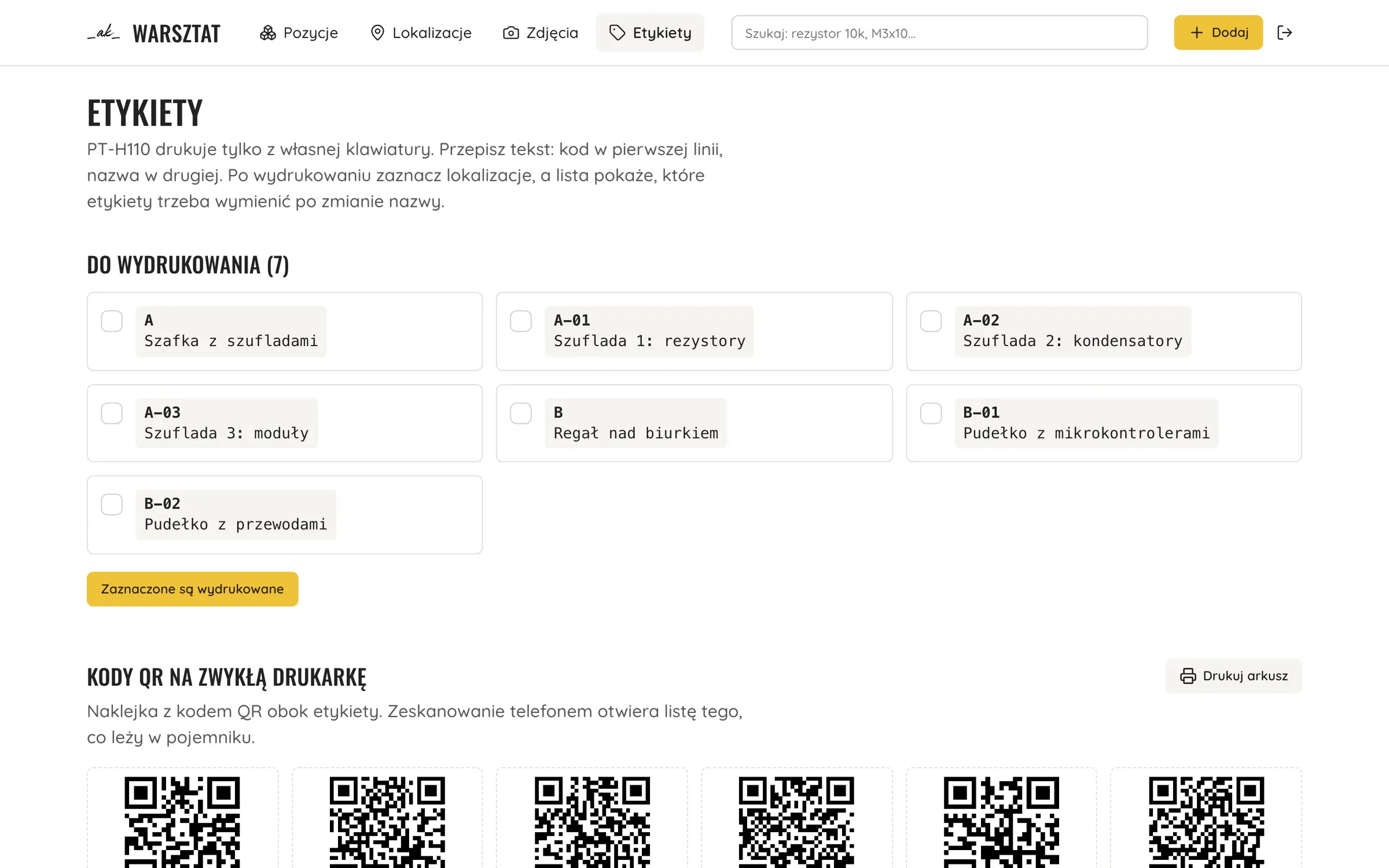
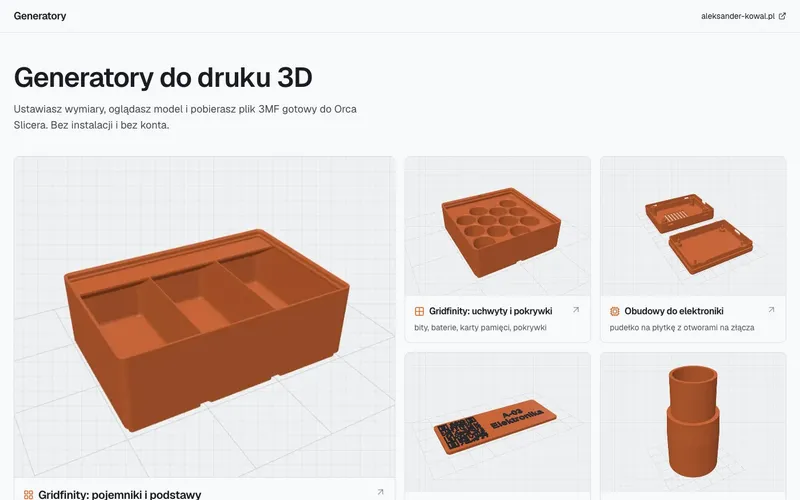
Every container and drawer has its own code, for example A-03. The app prepares texts for the label printer and a sheet of QR codes. Scanning the code on a box is enough to see what is inside.
Eventually small parts will go into containers based on the open Gridfinity standard, printed on a 3D printer. It is a modular grid that is easy to extend as the collection grows.
Keeping things tidy stops being a one-off clean-up. It becomes a habit, because the inventory tells me where each item should go back.
Workshop First, Shop Second
The biggest change is in how I plan projects. Before I order anything, I check the inventory to see whether I already have it.
The AI assistant I work with on projects helps here. It has access to the inventory and searches the workshop before suggesting a purchase. It looks in several ways: by symbol, by generic name and by substitutes. When it finds something, it gives the quantity and location.
As a result, a new project starts with the question "what do I already have?" rather than with a shopping cart.
 (enlarge)
Real Savings
The inventory helps me save in several ways:
- I do not buy again what is already in a drawer,
- I use parts left over from earlier projects,
- I order only what is really missing, so orders are smaller and less frequent,
- I do not waste time digging through boxes.
A single module or a pack of resistors costs little. But across a dozen or more projects a year, these small, unnecessary purchases add up to a noticeable sum. On top of that there is less electronic waste and fewer unnecessary deliveries.
What Comes Next
I am filling in the inventory step by step, box by box. The next steps are:
- describing all drawers and containers,
- printing Gridfinity containers with labels,
- adding tools and materials, not just electronics.
On the Workshop page I show what I am working on. Photos of the physical workshop and equipment will be added there soon.
Was this useful?
New posts by e-mail
Every now and then, when a new post or project goes up. No ads.
Got an idea, a question or a comment? Write to me:Enable JavaScript to see the e-mail address

Comments
No comments yet. Be the first.